 Menu
Menu 


 Secure checkout

Sleek, streamlined, supercharged


Hive 2: Sleek, streamlined, supercharged
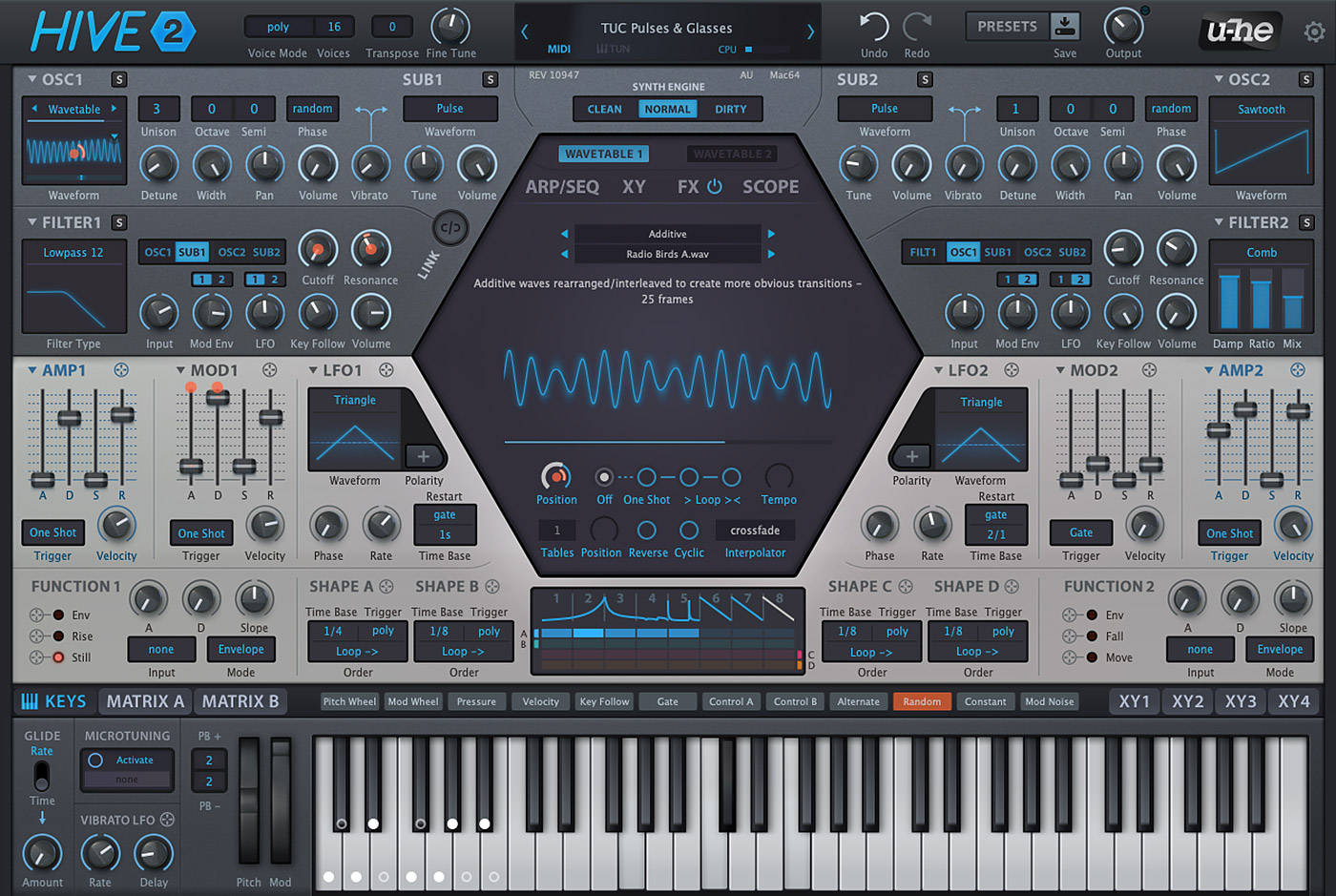
Hive’s clear layout and easy workflow let you create stunning patches in next to no time at all. Although surprisingly CPU-friendly, Hive doesn’t sacrifice flexibility or audio quality. Now packed with more controls than ever, version 2 opens up new dimensions of expression… and sheer fun!
Hive 2 in the spotlight…
Hover over the dots  to learn about Hive’s features
- NEW in v2.1.1: Improved resource management for better performance
- Low CPU usage, 3 different synth engines
- 2 oscillators with standard waveforms or 2D wavetables, up to 16x unison, tunable sub-oscillators
- Drag & drop modulation assignment
- 12 x 2 modulation matrix slots with modifiers for curvature, rectification, quantization, sample & hold, slew rate
- 4 user-definable XY control pads
- Unique 8-step shape sequencer with 4 independent outputs
- Arpeggiator, step sequencer with real-time recording
- Scale quantizer with pre-defined list of scales
- 2 function generators which can serve as extra envelopes, gate generators, LFOs, slew limiters
- 7 rearrangeable effects: distortion, chorus, delay, phaser, EQ, reverb, compressor
- Panel presets for oscillators, filters, envelopes, LFOs, sequencer, FX and modulation matrix
- Solo buttons let you audition individual oscillators and filters during sound design
- Scope to view the audio output or any modulation signal, with freeze option and zoom controls
- 2400+ NKS-ready factory presets by some of our favourite sound designers, many more available online
- Resizable UI from 70% to 200%
- Alternative Izmo skin
- Microtuning support (.tun files)
- NEW in v2.1: Support for Oddsound MTS-ESP
- NEW in v2.1.2: MPE Support
Sights and sounds
- Videos
- Demo Tracks
- Screenshots
New in Hive 2.0
A quick introduction to new features, new presets and upgrade options in Hive 2.0.
Hive 2 preset walkthrough

A run through of some Hive 2.0 factory presets.
Introduction to Hive 2 - Part 1
Part 1 tutorial about the control bar and presets.
Introduction to Hive 2 - Part 2
Part 2 tutorial about the oscillators.
Introduction to Hive 2 - Part 3
Part 3 tutorial about the filters.
More Hive tutorials
Watch more introductory videos in our tutorials section.
Preemptive Treasure
Created by Torley using new presets from the Hive 2.1 update.
 Hive 2 Demo Track
A demo track for Hive 2 by Mirko Ruta. Hive 2 Demo Track 2
A demo track for Hive 2 by Christian Laffitte . Hive 2 Demo Track 3
A demo track for Hive 2 by Ned Bouhlassa.Hive 2 Demo Track 4
A demo track for Hive 2 by New Loops. Hive 2 Demo Track 5
A demo track for Hive 2 by New Loops. Hive 2 Demo Track 6
A demo track for Hive 2 by Mirko Ruta. One True Moment
A demo track for Hive 2 by Taron.Hive 2 Techno
A techno demo track for Hive 2 by Oddvar.Void Nutrition
A demo track for Hive 2 by Sascha.Hive 2 Atmo
An atmospheric demo track for Hive 2 by Oddvar.Wavetable Demo Track
Track made using 14 presets from v1.2. Produced by Bjulin. All sounds except drums and transition effects are factory wavetable presets. External effects were used. Wavetable Demo Track 2
Track made using 10 presets from v1.2. Produced by Bjulin. All sounds except drums and transition effects are factory wavetable presets. External effects were used. Wavetable Demo Track 3
For this track, Gareth Hester used 10 presets from Hive 1.2, no external FX. Wavetable Downtempo
12 of the wavetable factory presets by v1.2 were used in this demo by Dario. All sounds and FX are from Hive except the drums. "Touch of Glue" (Presswerk) and "Mastering Tape" (Satin) presets on the master. Enter the Hive
Hive gets rolling with a drum and bass track by Biome Digital. All sounds by Hive except the drums. Techno
Big room style Techno by Biome Digital. All sounds by Hive except the drums. Nectar
An energetic ’90s style trance track by Aiyn Zahev. All sounds by Hive with some additional FX and compression. Escalation and Retaliation
A soundtrack style example by Kevin Schroeder. All sounds by Hive. Deep House
A contemporary smooth deep house flavoured track created by Oddvar. Some additional drums, EQ and compression.Show / Hide more tracks
Wavetable editor
Arpeggiator and Sequencer
FX section
Shape sequencer
Scope
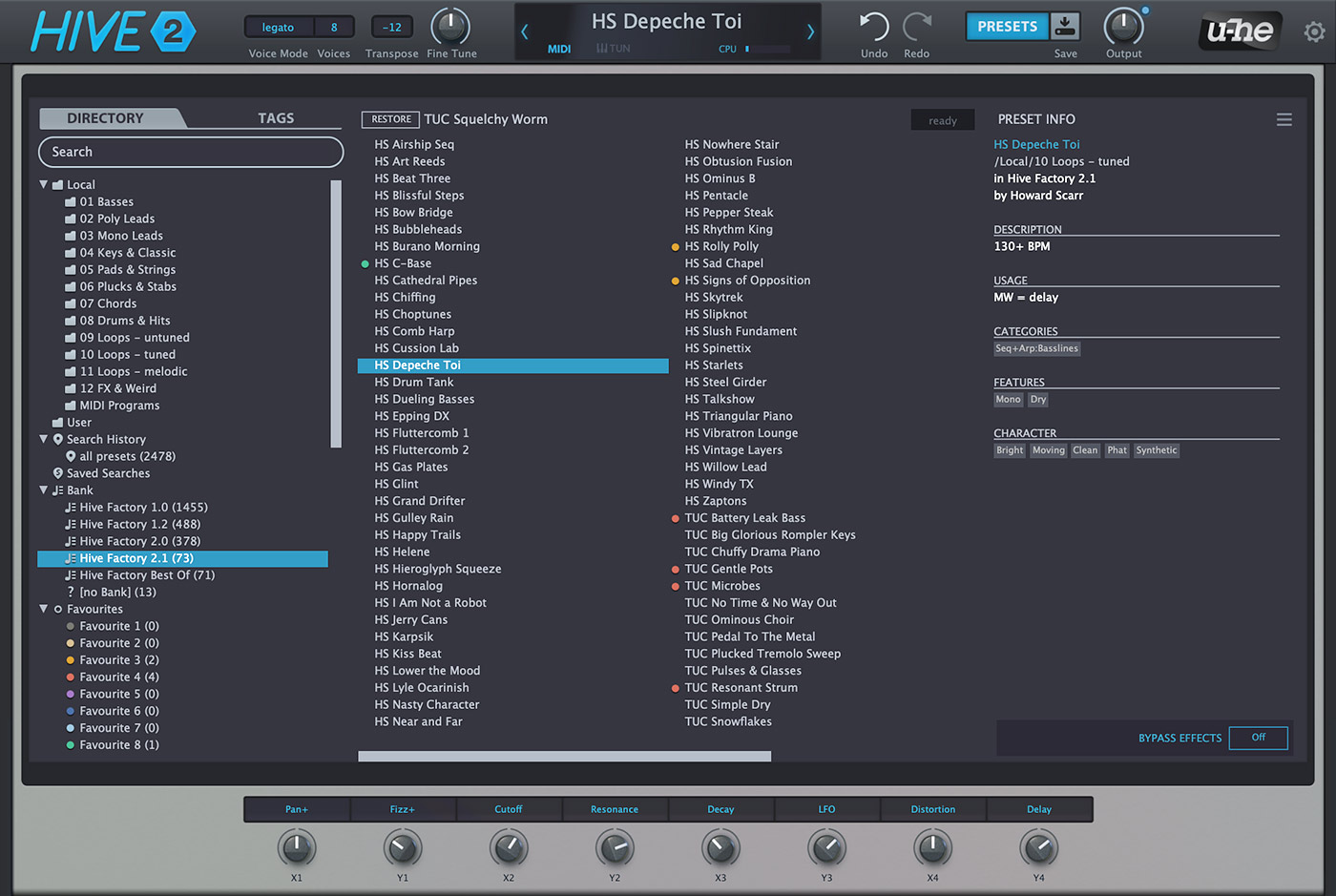
Preset browser
Underneath its sleek exterior, Hive 2 lets you go as deep as you like. Add movement and life using the shape sequencer, or instantly record, rotate and arpeggiate note sequences. The 12-slot matrix even lets you modulate effect parameters, encouraging you to explore a whole new world of creative options. With its swappable audio engine, flexible signal routing, wavetable support and quality effects, Hive 2 makes sure you can get the sound you want with a minimum of fuss.
Wavetables
How it works
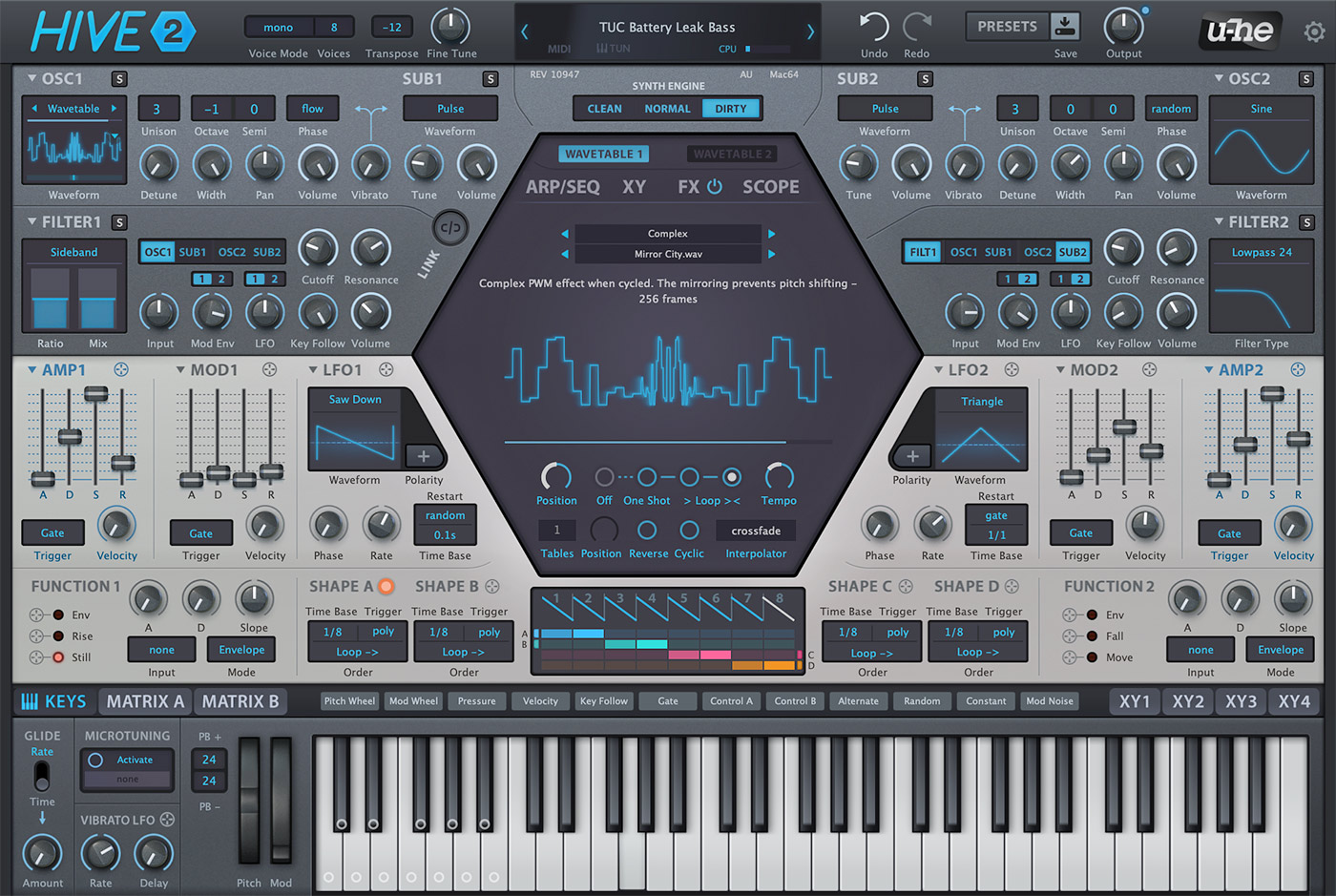
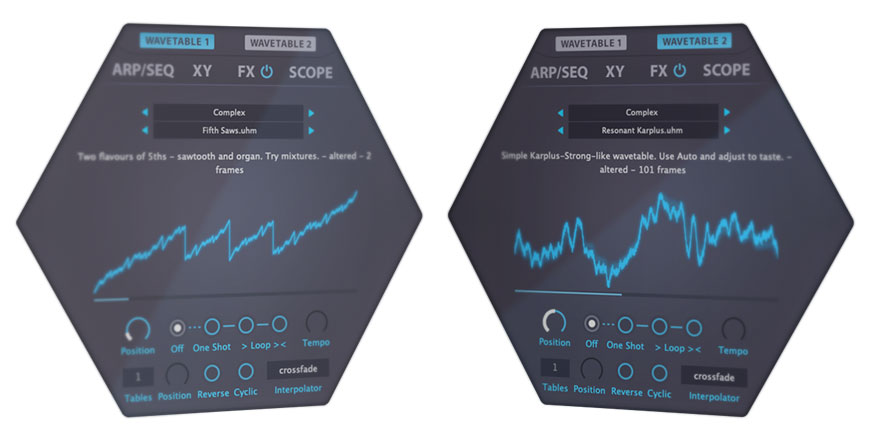
Hive 2 includes Wavetables! These appear as multiple waveforms, and are controlled in the central hexagon. You can manually select wavetables, modulate the wave position via the matrix, or even scan through them automatically using the envelope and loop options (which let you animate wavetables without the need for an extra modulation source).
This panel also offers a Reverse option to flip the wavetable back to front, Cyclic mode for seamless wavetable cycling, and various real-time interpolation methods.
Multi-Table
Wavetables can be split into multiple parts (up to 16), effectively creating a 2-dimensional oscillator. For instance, a wavetable with 30 frames can be split into 3 x 10 frames by setting Tables to 3. The lower Position knob will crossfade between those 3. This feature opens up a second dimension of wavetable scanning, such as velocity crossfade or multisample support.
UHM scripting
Want to go even deeper? Many of Hive’s factory wavetables are not samples, but ".uhm" files containing scripts written in a proprietary wavetable generation and manipulation language. If you’re interested in writing your own scripts, grab this document (also included in the Hive installer)…
Interpolation
Hive provides 4 different algorithms for interpolating between wavetable frames: switch, crossfade, spectral, or zero phase. The appearance (and CPU usage) of waveforms can differ significantly, depending on the chosen interpolation. The spectral and zero phase modes shift the relative phases of partials differently, while the switch option only shows non-interpolated waveforms.
More features
Shape Sequencer
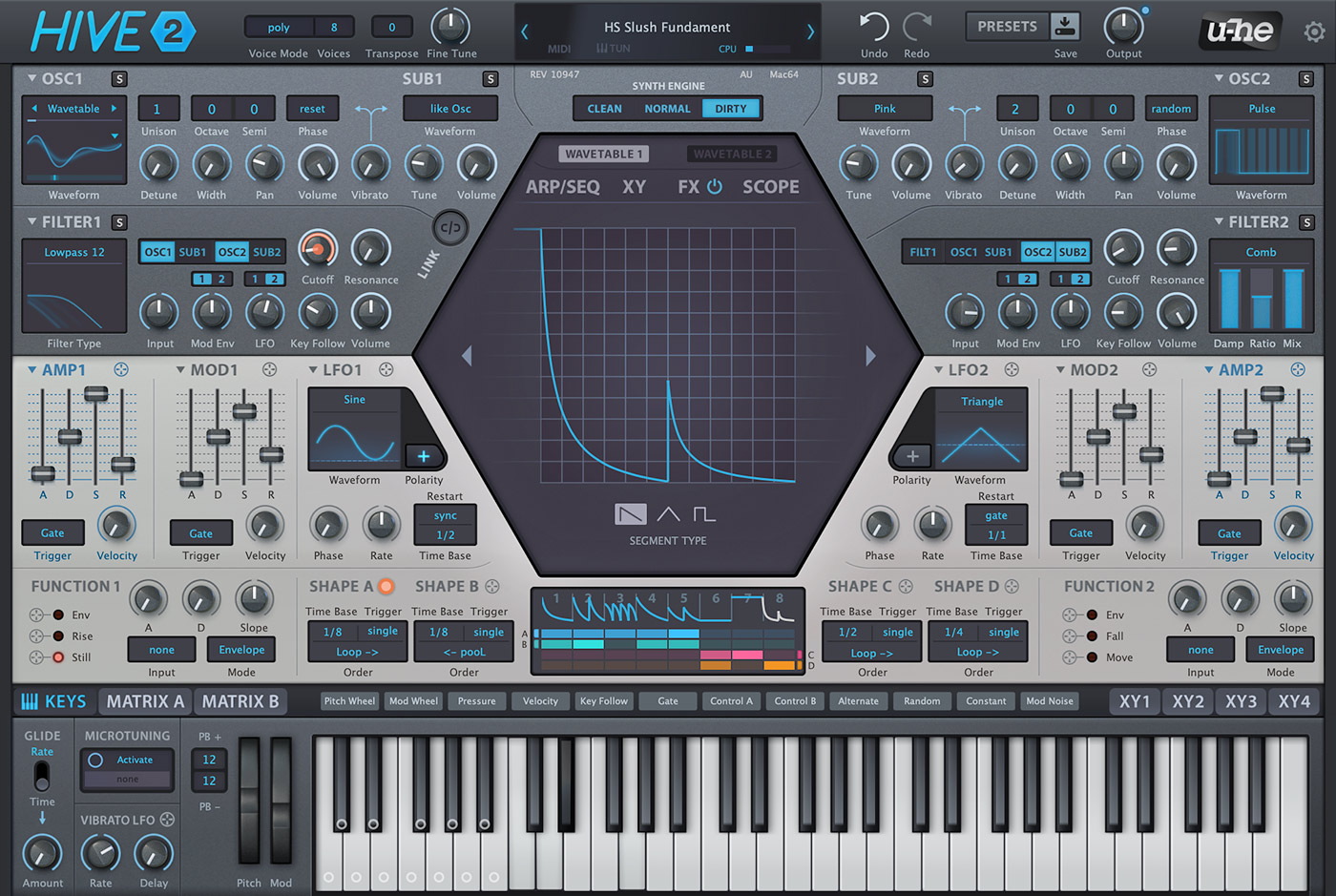
The Shape Sequencer is where you can create complex modulations and/or rhythmic patterns, it offers a comfortable way to ‘gamify’ rhythm creation. The shape sequencer has four Shape Modulator lanes (A, B, C and D), each with an independent set of options determining how the active cells in that lane are sequenced: This means that the shape modulators can be triggered differently and run at different speeds! While it may look like a baby version of what other synths have to offer, Hive’s shape sequencer can do a lot more than first meets the eye …

Shape Sequencer in Hive
Function Generators
Hive’s Function Generators combine simple envelope functionality with LFO, slew limiter (a.k.a. envelope follower) and gate control. Each of the three outputs has its own ‘crosshair’ you can drag & drop onto any modulation target, onto the Scope or even onto the modulation matrix source fields. Triggered and/or modulated by the LFOs, the Shape Sequencer and each other, Hive’s Function Generators can create some truly mind-bending motion effects!

Function Generators in Hive
Arpeggiator and Sequencer
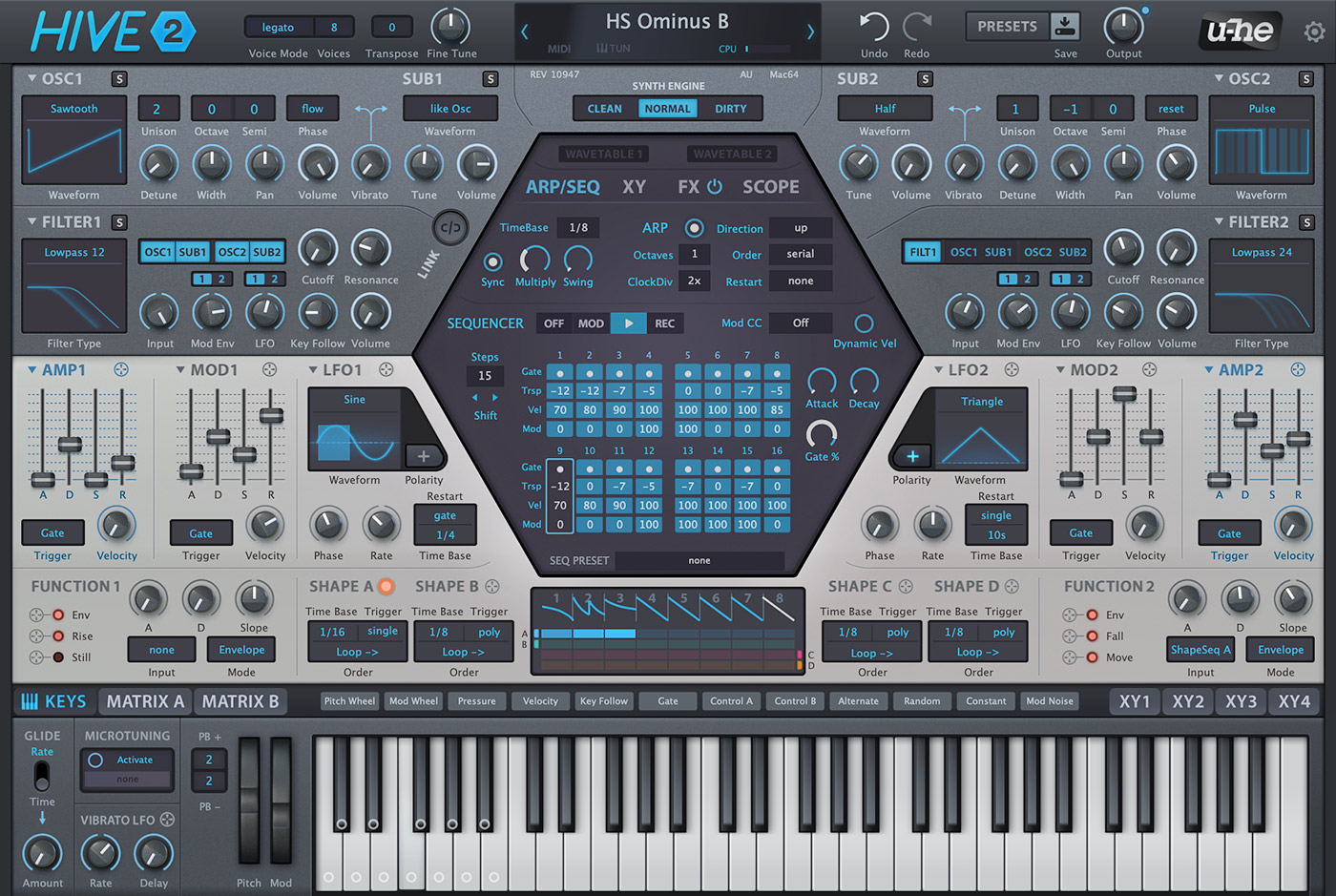
The ARP/SEQ panel in the central hexagon is where you make rhythmic and melodic loops.
Arpeggiator
You can select up to 3 octaves range, 6 different direction options, and 4 for the order. Additional features are Restart, which sets the number of notes the arpeggiator will play before jumping back to the beginning, and ClockDiv, which slows the arpeggiator down relative to the sequencer.
Sequencer
The sequencer has 2 different modes, one of which lets you send control signals (CC) without triggering any notes. Like the arpeggiator, the sequence will run whenever one or more notes are played, and will stop when all notes are released. In record (REC) mode you can enter individual notes on your keyboard or even capture the output of the arpeggiator.
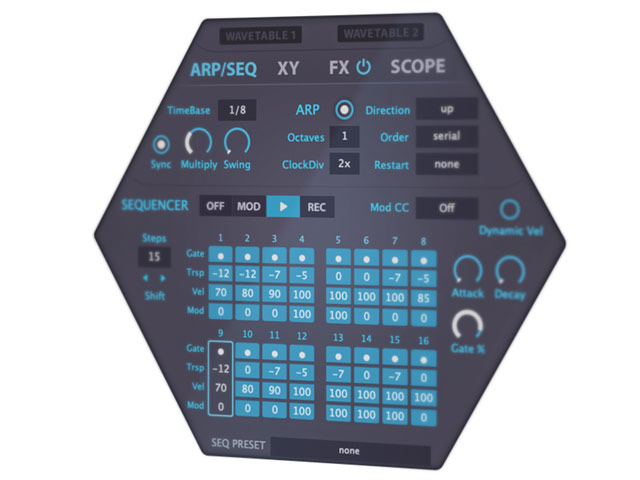
Arpeggiator and Sequencer in Hive
Flexible Effects
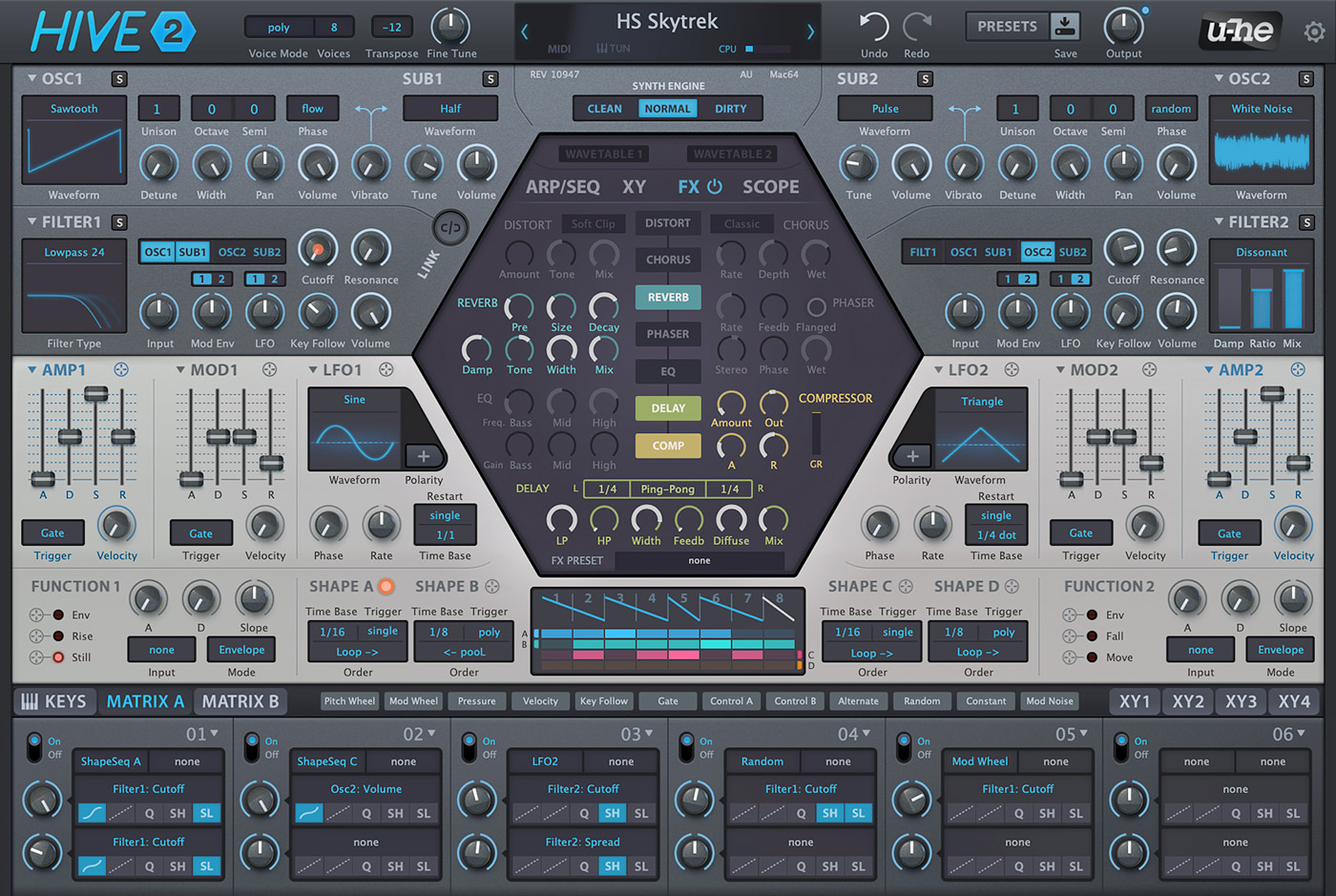
Hive’s hexagon includes 7 different effects: Distortion, Reverb, Equalizer, Chorus, Delay, Compressor, and Phaser.
Enable and rearrange
The on/off status and position of each effect in the chain is controlled using the central column: Click once to enable or disable an effect, and drag up and down to rearrange. This ease of use invites experimental combinations e.g. short reverb into highly resonant phaser into heavy distortion.
Edit and modulate
Effects in Hive are fully-featured with many editable controls, a selection of presets, and the well known u-he quality.
Want more? Every control you see can be modulated in the modulation matrix – even a few you can’t see.
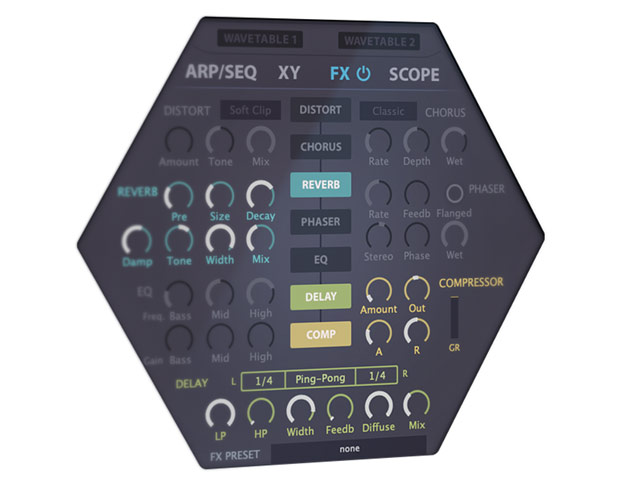
Effects in Hive
Modulation Matrix
Hive features a 12-unit modulation matrix (6 units per page) which lets you connect modulation sources (LFOs, envelopes, shape sequencer, MIDI controls etc.) to countless targets, optionally via a second modulation source. 2 targets can be assigned per unit, each with its own modulatable depth control. The row of 5 modifiers per target can alter the curvature, rectify, quantize, sample/hold or slew-limit the modulation signal: This is seriously deep stuff, but it doesn’t get in the way!

Modulation Matrix in Hive
Performance controls
On this page you'll find a pad with 4 controls – simply connect them to your MIDI controllers for maximum fun on stage. Other views are also available.
Automatic parameter scanning
Hive is able to assign XY controls to parameters automatically. It looks into the structure of presets that have unused XY controls, and assigns them to the most appropriate XY macros (pre-defined sets of parameters). Of course you can create your own XY control definitions, with up to 4 targets per dimension.
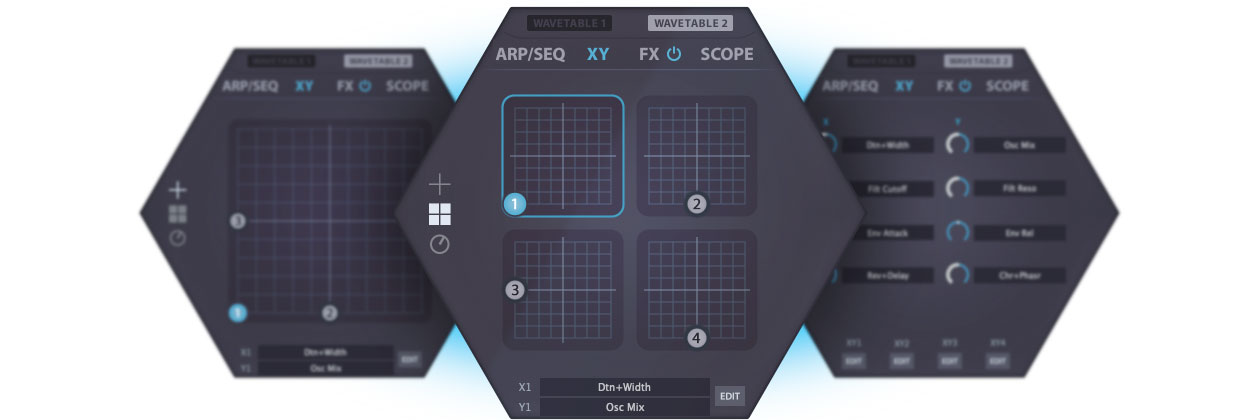
Various views of the XY controls in Hive
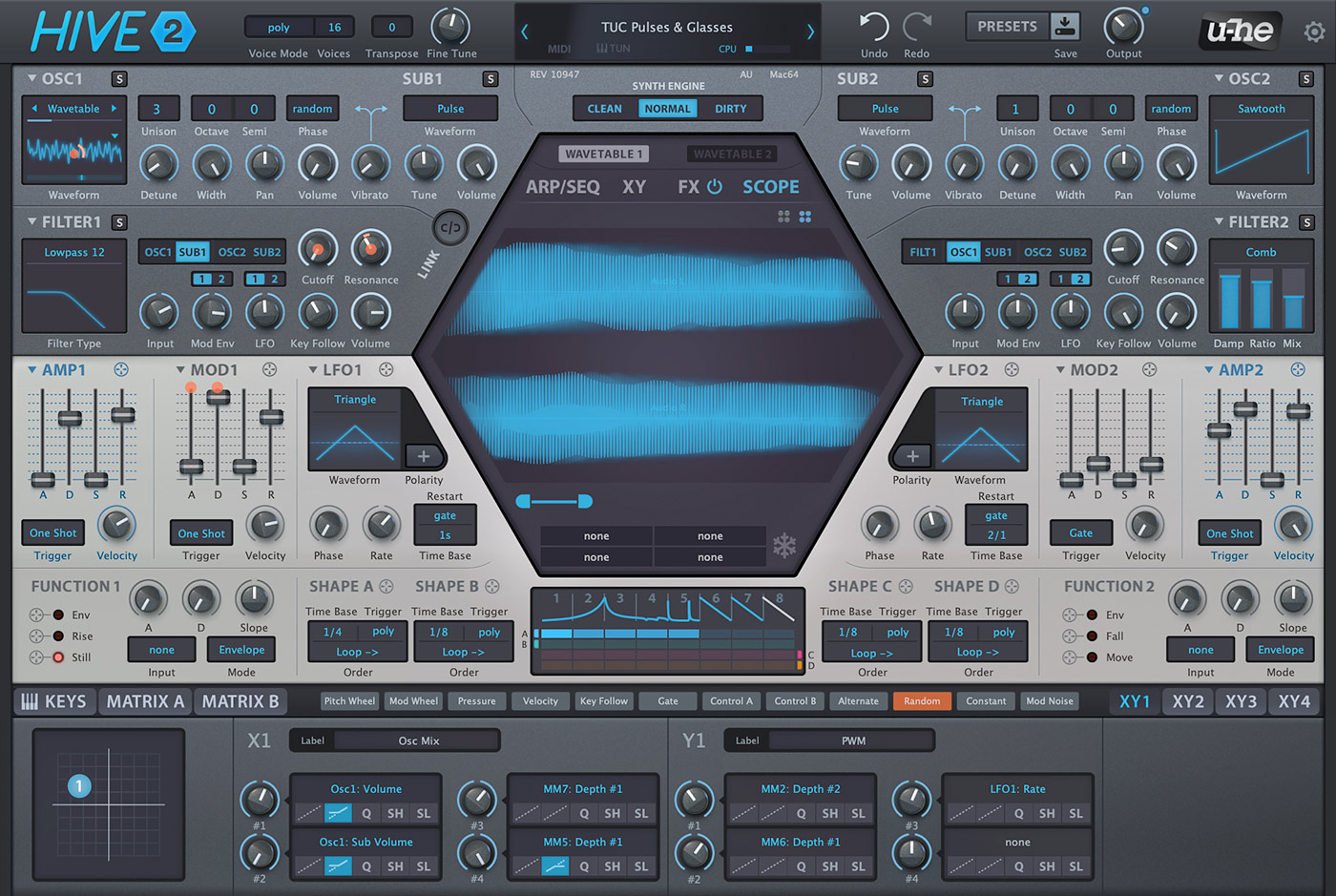
Scope
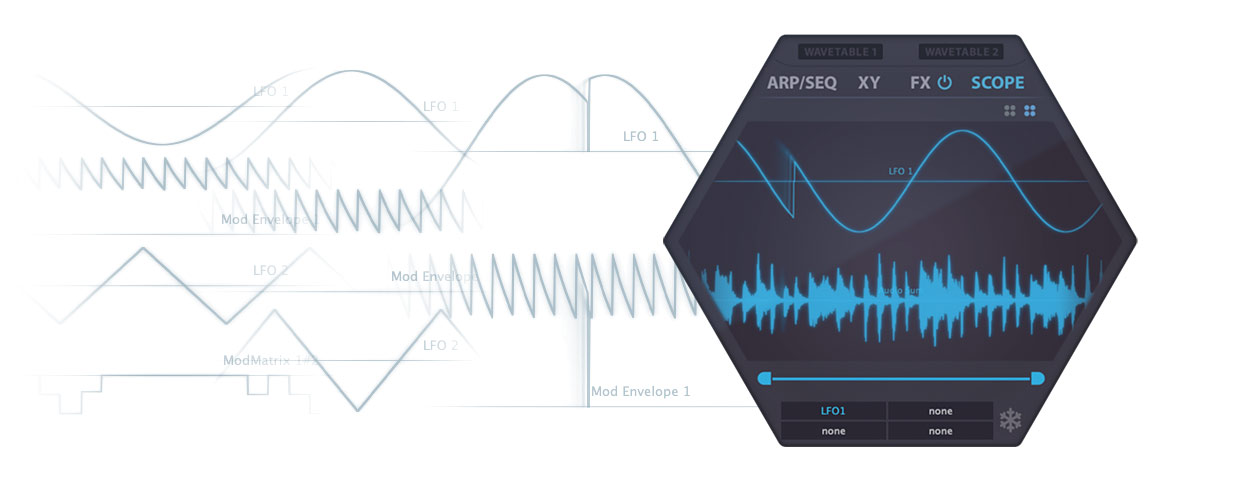
Animated graphics in software synthesizers not only look cool, but can also help you program your sounds by showing you what’s happening in real time. Hive’s Scope is especially useful for displaying how the parts of complex modulation interact (e.g. the Function Generators with an LFO).
Izmo skin
Hive 2.1 includes a brand new alternative skin called Izmo, created by the very talented GUI designer Yuta Yoshimatsu (a.k.a. Plugmon ).
Izmo offers a fresh new look and workflow, letting you explore and experience Hive as if it were a radically different synth, sparking your creativity in exciting new ways.
To enable Izmo, simply right-click anywhere in the background of Hive’s window and select it from the pop-up menu.
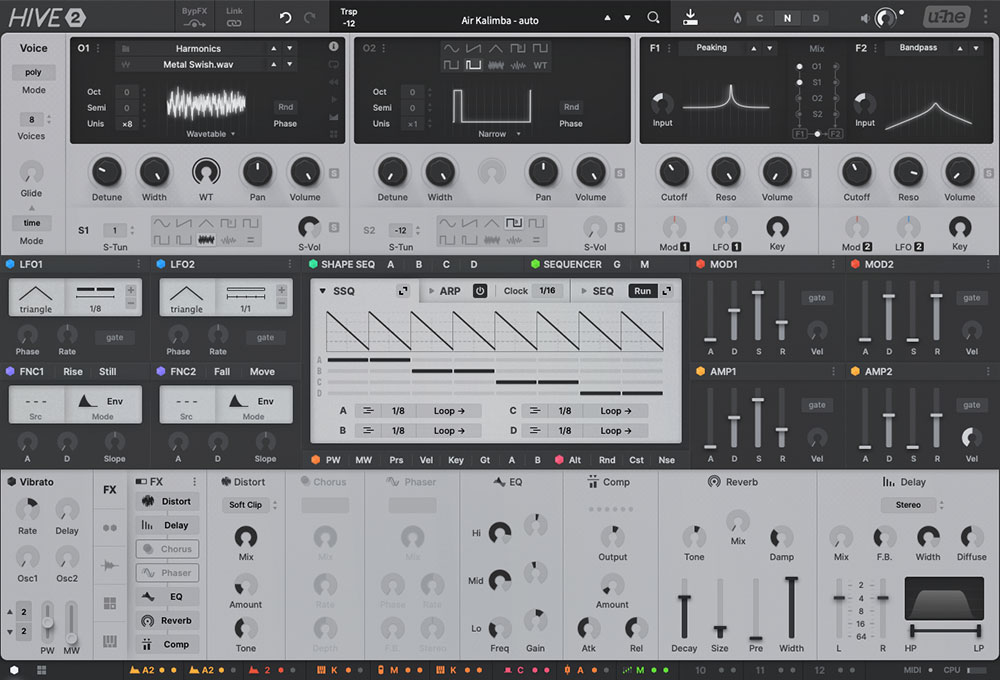
Hive 2.1 IZMO skin
December 2020
2020 – Editor’s Choiceprofessional audio
January 2020
Oberklasse - Überragendprofessional audio


December 2015
2015 – Editor’s ChoiceComputer Music

December 2015
2015 – Performance AwardComputer Music


“… a straightforward, user-friendly synth with superb sound quality and an interesting sonic range …”
June 2015


“… so versatile nobody will notice that you made the whole song with just one synthesizer.”
September 2015
“… most workflow-efficient, high-performance synth I’ve used with this amount of flexibility and pristine sound quality …”
May 2017

“HIVE is a modern synth with a great sound and the versatility is greatly enhanced.”
October 2015
“… makes a convincing case as a go-to plug-in for impressively full-bodied subtractive synthesis.”
June 2015
“… the best choice for anyone looking for a straightforward, fat-sounding, and future-proof virtual analogue synth.”
August 2015
Global
Polyphonic (up to 16 voices), duophonic, mono and legato modes
Synth Engine
3 synth engine characters (Normal, Dirty, Clean)
Oscillators
- 2 pairs of stereo oscillators, 9 different waveforms each, plus wavetable option (140 wavetables incl.)
- Up to 16× unison per oscillator
- Tunable sub-oscillators
Filters
- 2 multimode filters (lowpass, highpass, bandpass, bandreject, peaking, comb, reverb, dissonant or sideband)
- Flexible oscillator and filter routing
Arp+Seq
- Common clock for arpeggiator and sequencer, with strict host-sync option
- Arpeggiator with direction, order, octave and frame/restart controls
- 16-step sequencer to drive notes or modulation
LFOs
2 LFOs with various shapes, sync options and unipolar switch
Performance
- Glide control, constant rate or constant time mode
- Extra vibrato oscillator
Envelopes
2 pairs of ADSR envelopes, each stage can be individually modulated
Configuration
- Resizable GUI from 70% to 200%
- MIDI learn page and editable list
- Global preferences page
Modulation
- 12x2 modulation matrix slots with modifiers for curvature, rectification, quantization, sample & hold, slew rate
- Countless targets including all FX parameters
- Drag and drop modulation assignment
Effects
7 quality effects on board: distortion, chorus, delay, phaser, EQ, plate reverb, compressor
Performance Control
4× XY pad control with auto-assign
Wavetables
With proprietary .uhm scripting language, modulatable controls, and more...
Scope
Used to view the audio output or any modulation signal, with freeze option and zoom controls
Shape sequencer
Unique 8-step shape sequencer with 4 independent outputs
Function generators
Can serve as extra envelopes, gate generators, LFOs, slew limiters
Scale Quantizer
- quantizes incoming MIDI notes to a user-defined scale
- 15 pre-defined scales (NEW in 2.1)
NEW in 2.1
4 additional filter types (comb, dissonant, reverb and sideband)
Download the demo and enter your serial number to unlock the full version. The demo version emits crackling sound at irregular intervals.
Hive 2 2.1.2 (revision 16520)
Released August 27, 2024
Release notes
* About Linux: Before purchasing, please be aware the Linux versions of our plug-ins are still considered beta. While the plug-ins are stable, we are not able to provide the same level of support for these products as we do for the macOS and Windows versions. Support is provided via the Linux and u-he communities on our forum .
Requirements
 Mac OS X 10.10 or newer
or
 Windows 7 or newer
or
 Linux
Linux
- Host software / DAW
- 1GB RAM, more recommended
- 1000 × 600 or larger display
- 130–375 MB free disk space
- Modern CPU required:
Windows/Linux: Intel Nehalem or newer, AMD Bulldozer or newer
Mac: Intel Nehalem or newer, Apple silicon M1 or newer - Linux: glibc version 2.28 or newer
Formats
Hive 2 is not a standalone product, it requires host software. Hive 2 is compatible with nearly all DAWs.
macOS:
CLAP, AUv2, VST3, AAX*
64-bit
Windows:
VST3
32-/64-bit
CLAP, AAX*
64-bit
* AAX requires Pro Tools 10.3.7 or later

This product is Native Instruments NKS-ready and compatible with Maschine and Komplete Kontrol hardware.

VST is a trademark of Steinberg Media Technologies GmbH, registered in Europe and other countries.
User Guides
Reviews & Articles
Downloads for Hive 2
Try the latest builds of Hive 2, which include improvements and bug fixes. Note: these are stable, but still beta versions.
Older Hive 2 installers are in our release archive (for legacy systems).