Zebralette is our version of a Trojan horse. A free synthesizer and an introduction to Zebra2’s fantastic oscillators. Perhaps it will persuade you to try Zebra2 and upgrade. If one oscillator is this powerful, imagine what you can achieve with four … and all the other great features available in Zebra2.
Zebralette is included with the Zebra2 download and is installed at the same time.
A single Zebra2 oscillator with a 16-slot waveset. Read more below
Oscillator waveform editing with geomorph, spectromorph, geoblend and spectroblend modes. Read more below
24 spectral effects including filter, sync, scatter, phase distortion and many more
Polyphonic (up to 16 voices), monophonic and legato modes
Stereo VCA with pan and volume modulation
VCA oscillator stacking with adjustable stereo width: single, dual, quad and eleven modes
ADSR envelope with fall/rise (sustain slope) and velocity controls
Modulation options including: modwheel, velocity, pressure, breath, key follow, gate and more
2 LFOs: one global, one per voice
A 32-stage MSEG (multi-stage envelope generator)
3 built-in effects: chorus/phaser, EQ, delay
MIDI learn / unlearn of hardware controls (CC)
Polyphonic aftertouch support
300 factory presets
Scalable UI from 50% to 200%
NEW in v2.9.3: Support for Oddsound MTS-ESP
Sights and sounds
Audio Demos
Videos
Screenshots
#### Zebralette Demo
--:--/ --:--
Viktor (The Unshushable Coktor) puts Zebralette through its paces with a track well-suited for a 1980s action movie.
##### Zebralette presets
A walkthrough of a variety of Zebralette’s factory presets
[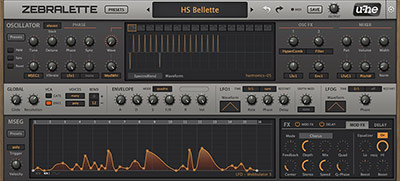](/products/zebralette/assets/images/uhe-zebralette-screenshot-modulation-1000x539.jpg)Zebralette’s main synth interface
[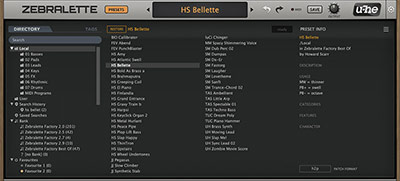](/products/zebralette/assets/images/uhe-zebralette-screenshot-effects-1000x539.jpg)Preset browser “Directory” view
**-ette**: an English suffix indicating a diminutive form
Zebralette is an introduction to Zebra2’s powerful oscillators. Zebra2 can seem overwhelming at first glance, so we stripped it down to a single oscillator plus a few other features and created Zebralette, the little Zebra. Once you master Zebralette you can move up to Zebra2 with confidence. And your presets can come with you, as Zebralette presets can be opened in Zebra2.
But more than a teaching tool, Zebralette is an incredible sounding synth in its own right. Surrounding Zebra’s spectral oscillator with a few core modulation options and effects make Zebralette highly capable. With unison options (think supersaw, but Zebralette is not limited to saw waves, so we refer to it as superwave), 16 voice polyphony and two different envelopes, you have everything needed to create some marvellously complex sounds.
Diminutive? Yes. Powerful? Yes.
Zebra oscillator
----------------
One oscillator may not seem like enough for a synthesizer, but Zebra2 oscillators are rather powerful and clever.
It resembles many other oscillators you may have used. You can choose a waveset from the included library, or use the waveform editor to draw your own shapes. Here is where things start to get interesting: The Waveform Editor manages up to 16 different waves and lets you rearrange, duplicate and morph between individual waves. Use one of modulation sources and the WaveWarp control to scan through the 16 waves and create unusual, dynamic sounds.
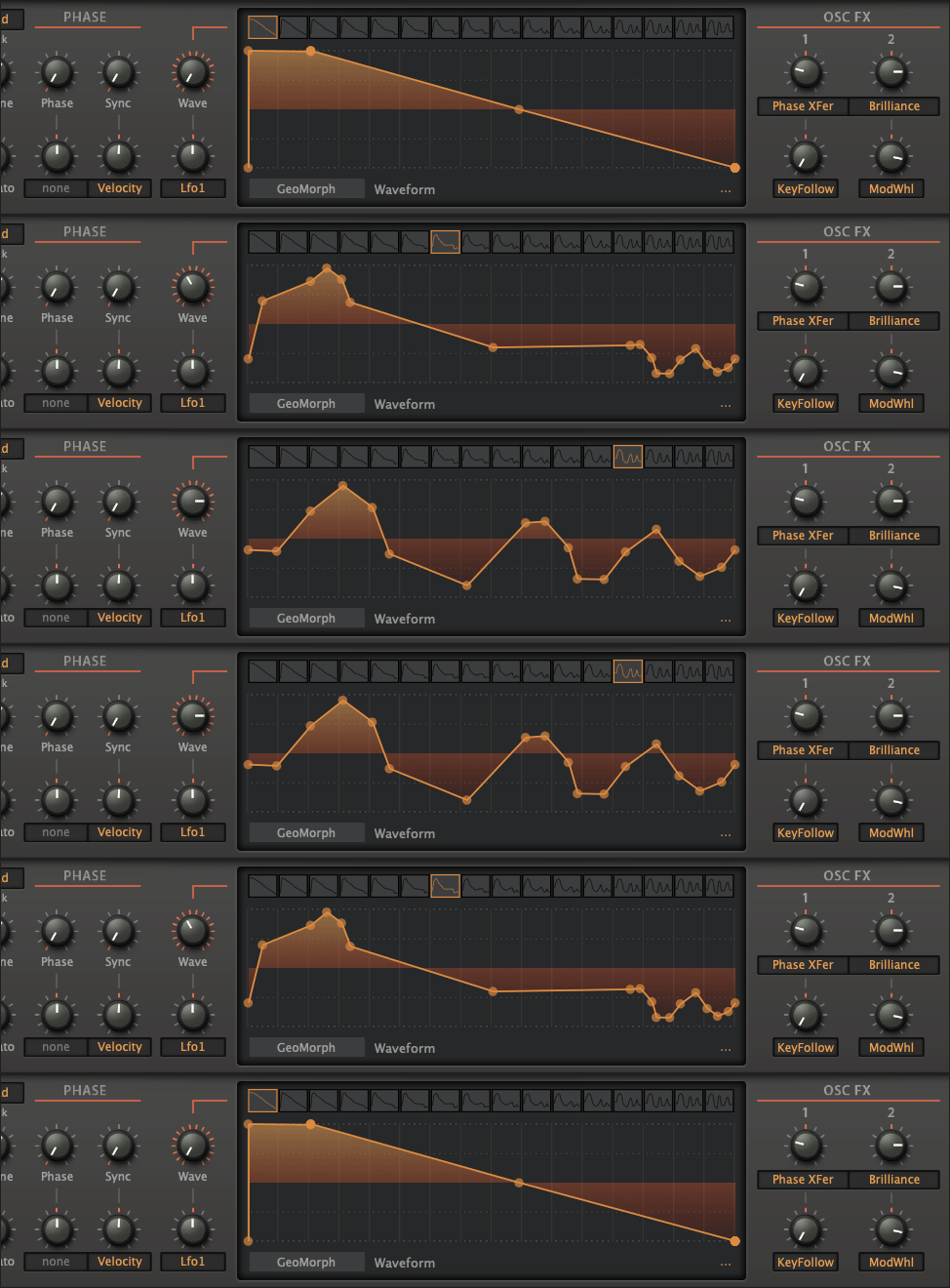 ***WaveWarp*** control
There are four drawing modes: ***GeoMorph***, ***SpectroMorph***, ***GeoBlend***, ***SpectroBlend***, each offering a different approach to creating and manipulating waveforms.
Using the two Geo modes you draw the waveform shape using up to 32 points, while the Spectro modes let you create the harmonic spectrum over 128 columns. When using WaveWarp to scan through the waveset, Morph alters the waveform, whereas Blend blends (crossfades) between adjacent waves.
To add further complexity, use one of the 24 ***Spectral Effects*** to warp, mangle or add subtle harmonics to your sound. Read the user guide for the full list and descriptions.
You can do quite a lot with just one oscillator.
“Die enge Verwandtschaft zu dem ziemlich komplexen Synth-Boliden Zebra 2 ist zwar deutlich spürbar, dennoch eignet sich Zebralette gerade für Einsteiger und sollte damit im Pflichtprogramm stehen”
 [](/products/zebralette/assets/images/uhe-zebralette-screenshot-modulation-1000x539.jpg)Zebralette’s main synth interface[](/products/zebralette/assets/images/uhe-zebralette-screenshot-effects-1000x539.jpg)Preset browser “Directory” view[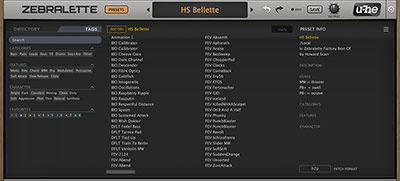](/products/zebralette/assets/images/uhe-zebralette-screenshot-presets-1000x539.jpg)Preset browser “Tags” view[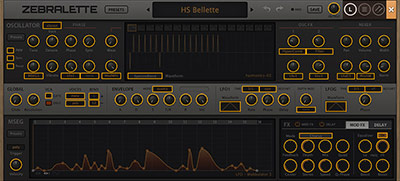](/products/zebralette/assets/images/uhe-zebralette-screenshot-oscpresets-1000x539.jpg)MIDI controller assignment overlay[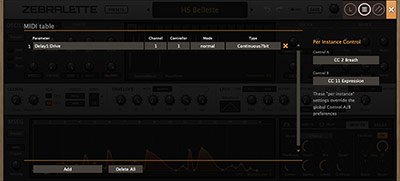](/products/zebralette/assets/images/uhe-zebralette-screenshot-msegpresets-1000x539.jpg)MIDI controller assignment tableWhat is a Zebralette? ---------------------**-ette**: an English suffix indicating a diminutive form
[](/products/zebralette/assets/images/uhe-zebralette-screenshot-modulation-1000x539.jpg)Zebralette’s main synth interface[](/products/zebralette/assets/images/uhe-zebralette-screenshot-effects-1000x539.jpg)Preset browser “Directory” view[](/products/zebralette/assets/images/uhe-zebralette-screenshot-presets-1000x539.jpg)Preset browser “Tags” view[](/products/zebralette/assets/images/uhe-zebralette-screenshot-oscpresets-1000x539.jpg)MIDI controller assignment overlay[](/products/zebralette/assets/images/uhe-zebralette-screenshot-msegpresets-1000x539.jpg)MIDI controller assignment tableWhat is a Zebralette? ---------------------**-ette**: an English suffix indicating a diminutive form
 Bondeo
June 2015“… simple doesn’t mean boring. This is the caviar of simple.”
Bondeo
June 2015“… simple doesn’t mean boring. This is the caviar of simple.”