Tape simulation
Tape simulation
Nothing else quite sounds like tape. Satin puts the legacy of tape recording in your hands: from top-of-the-line multi-track consoles to humble cassette decks. All the good (saturation, transient smoothing, compression) as well as the bad (noise modulation, flutter, hiss) qualities are under your control. Construct your (im)perfect tape machine.
- Lush analogue tape sound
- Includes historical developments in tape technology
- Control up to 8 instances of Satin at once using the Group panel
- 5 popular noise reduction encoder / decoder models
- Service panel: Controls for hiss, wow and flutter, bias, head gap, azimuth, saturation, high frequency compression and more
- Modern or vintage tape material
- Internal sample rate up to 384kHz
- 5 circuit models for recording and reproduction EQs
- Stereo delay mode (2 or 4 heads) with multiple-mono, cross or ping-pong routing
- Tape flange mode with classic through-zero flanging
- Adjustable tape speed from 1.87 to 30ips
- Pre-emphasis and soft clipping options
- Preset browser with search functions
- NKS FX compatible
- Resizable UI from 70% to 200%
- Skinnable UI
- 120+ factory presets
Sights and sounds
- Videos
- Screenshots
- Demo Tracks
Read details about how we used Satin.’; $PLAYER_URL = ‘https://media.u-he.com/satin/power-to-fly/full_mix-wet.mp3'; ?>
Read details about how we used Satin.’; $PLAYER_URL = ‘https://media.u-he.com/satin/metal/metal-satin-on.mp3'; ?>
Created by SpeaK  ’; $PLAYER_URL = ‘https://media.u-he.com/satin/drum-n-bass/speak-satin-drum-n-bass-wet.mp3'; ?>

Rock example
Power to Fly was recorded in Logic and mixed in Samplitude. It consists of 21 tracks, five busses and fifteen instances of Satin:
- Tape delay effect on the lead vocals
- A-Type encoding on the backing vocals to add ‘freshness’
- On the drums
- On the master
All other instances are set up as a multi-track entity, using Satin’s Group feature.
Drum bus
In these snippets, the chorus part of the song is soloed. The multi-track group on the individual channels is bypassed, only the Satin instance on the drums remains active. These examples show how saturation and the overall texture change with higher input gain and different kinds of equalization.
All examples use the Vintage tape setting and 15ips Tape Speed. The audio is separated into four sections: Bypass, +6dB, +12dB, +18dB.
The massive high frequency smear and loss of any transients should be clearly audible. But with moderate gain, Flat can be the right choice for taming harsh peaks and making everything round and soft.
Vocal delay
This example demonstrates how Satin can be used as a traditional 4-head tape delay, where all the tiny imperfections and complexities add up to an organic ‘vintage’ vibe:
Some noise-reduction systems were often mis-used by running the audio through the encoder circuit only, omitting decoding. Especially the A-Type systems gained popularity because they could add some pleasantly ‘airy’ compression. A nice exciter-type sound was possible when the lower two of the four frequency bands were bypassed by modifying the Cat 22 circuit board. This modification is also available in Satin.
If you are curious about how the regular Type-A sounds on the drums, check this one out: Bypass, Encoder, Decoder, Encoder & Decoder.
Metal example
This heavy metal song is courtesy of Blacky Schwarz-Ruszczynski, featuring Marian Gold (of Alphaville) on vocals. It consists of thirteen tracks using Satin’s Modern tape setting and a Vintage tape setting on the master bus.
The lead vocals and solo guitar are sent through an additional instance of Satin in Delay mode to give them more width. Presswerk and Samplitude’s eFX Gate and Reverb were used on drums, vocals and guitars.
The sound
That tape sound depends on interaction between the various parts of a tape machine. Each contributes in one way or another—enhancing, reducing, combining—to generate the final sound.
Satin models individual components and lets them interact in the same way. For maximum flexibility in sound shaping, Satin is a toolkit of alternative parts, not an emulation of a single machine. Build your own custom tape unit. The perfect final sheen for your mixdown, or “glue” multiple drum tracks together, decode old NR-encoded cassette tape, or misuse Satin for extreme effects.
After developing the components for a tape machine toolkit, our minds turned other popular tape-based machines. Delay and flange immediately jumped to mind.
Delay mode lets you construct your own tape delay machine rather than emulate any specific model. A few clicks and you will be deep in echo in no time. Choose between two or four “tape heads”, adjust tape speed, select tape material, turn up the feedback, select signal routing, add some filtering. You can add motion to each individual “tape head” for a more organic feel. Tweak the Service Panel options and give your sound the characteristic shimmer of a classic tape echo.
Flange mode emulates the special technique of running identical recordings on two tape machines, then lightly pressing a finger on the reels to move the recordings in and out of phase. It was a skill that required patience and light touch. Luckily, Satin now makes it much easier and faster, all at the press of a button. For longer flanging effects or more precise control you can use the slider, either manually or automated.
Imagine opening up a tape machine, peeking “under the hood” and tinkering with the parts. That is what service technicians used to do, and it is what the Service Panel in Satin is for. It gives you detailed control over some of the more esoteric and characterful elements.
In the Tape section are perhaps the more readily identifiable attributes of tape recording: hiss, asperity, wow & flutter, crosstalk and bias. Dial in a little of each for a retro vibe or “glue”. Dial in the extreme settings and you can end up with the sound of poor quality tape left in someone’s basement far too long.
Finally the Circuit section lets you change the inner EQ circuitry. Included are various industry standard EQ curves, should you want to mimic specific machines. But Satin goes a step further by allowing independent selection of the recording and reproduction EQ curves. Which you can abuse for weird processing effects, or to correct EQ errors in old recordings (see below).
If you have a tape recording with an unsuitable EQ, using Circuit’s independent RecEQ and ReproEQ selectors you can set a new target EQ curve and make changes. Similarly, Compander can handle audio recorded with specific noise reduction (NR) encodings. Just run it through Satin with Decoder set to match the known NR encoding type.
2013 – Innovation Award Computer Music
2013 – Performance Award Computer Music
2016 – Top ProductReleasetime
2016 – Best ValueReleasetime
2013 – Editor’s ChoiceBeat
November 2013
You won’t go wrong Ask.Audio
May 2014
Attention to detail Sound on Sound
Bundle options
Everything Bundle

All our plug-ins in one bundle
999 €
All Effects Bundle
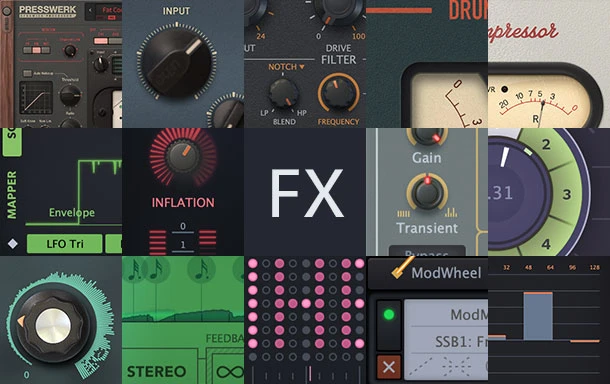
All u-he effects
499 €
Studio Bundle
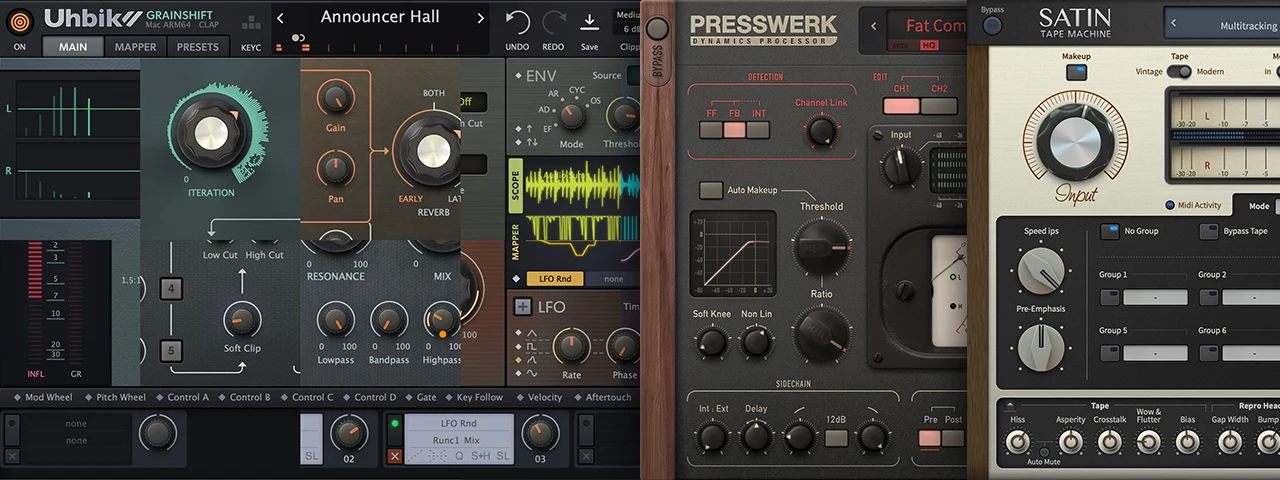
Value of individual products: 457 €
Our renowned studio effects, now united: Presswerk, Satin, Uhbik 2.
249 €