Delay heaven
Delay heaven
MFM2 is our over-the-top digital delay plug-in. You can create anything from subtle textured echos to huge spacey reverbs, from wild tonal steps on a pad to rhythmic deconstruction of a drum track. As a regular delay MFM2 already offers as much control and inspiration as possible, while the advanced features in version 2.5 open up wider horizons. More feedback, more control, more inspiration!
- New in version 2.5: input section with gain, filter and transient balance
- 4 delay lines with independent absolute time or tempo-synced modes
- Each delay line has its own multimode filter: 2x lowpass, bandpass, 2x highpass, bandreject or allpass
- 6 default delay configurations or user matrix (freely route signals between all 4 delay lines)
- 4 syncable LFOs with 8 waveform options or user definable shapes
- 2 syncable and loopable multi-stage envelope generator (MSEG) modulation sources
- 4-slot modulation matrix with depth modulation from a second source
- 2 channel-pair effects: soft clipper, bit crusher, phaser, frequency shifter, filter …
- New in version 2.5: granular (pitch shift, reverse delays) and diffusor (reverb)
- 2 channel-pair compressor/limiters, with peak or maximize modes
- New in version 2.5: output shield (soft clipper) with strength and threshold options
- Scalable UI from 50% to 200%
- 400+ factory presets
Sights and sounds
- Dry/Wet Audio
- Videos
- Screenshots
??>Creating new effects in MFM2 can be quite complex, depending on how deep you want to go! Below is a very brief introduction so you can get some idea of what awaits you as MFM2 tweaker…
Input signals can be processed in pairs before being sent to the delay lines. The “Transient” controls suppress or boost spikes. The two non-resonant input filters can reduce the frequency range or even split the frequencies into two stereo bands with independent delay settings (set In 1+2 to Lowpass and In 3+4 to Highpass with the same Cutoff value).
Independent delay modes: synchronized, free, or even controlled by MIDI notes.
The dark field below each knob is a modulation source selector, and the amount of modulation is controlled by the “pip” which appears at the top right of the knob.
Resonant filters can be placed in various positions within the signal path. On offer here: 2x low pass, 2x high pass, band pass, band reject, allpass (phaser).
This is where you can specify how the delay lines feed into each other: The “User Matrix” option lets you freely route signals between all 4 delay lines.
The large control at the top adjusts the overall amount of feedback. At the bottom of the panel are the output level controls, allowing for normal and inverted polarity.
Pre-feedback processing. On offer here: limiter, bit crusher, phaser, frequency shifter, lowpass/highpass filter, granular pitch shifter, diffusor (reverb-ish).
The final polish! Peak or RMS mode compression. In PeakComp mode you can compress one pair of channels using a sidechain from the other.
2022 – Editor’s Choice professional audio
Sehr Gut - Überragend professional audio

 Computer Music
February 2008
Computer Music
February 2008
Amazona October 2010
Rekkerd.org June 2012
Bundle options
Everything Bundle
All our plug-ins in one bundle
999 €
All Effects Bundle
All u-he effects
499 €
Ursome! Bundle
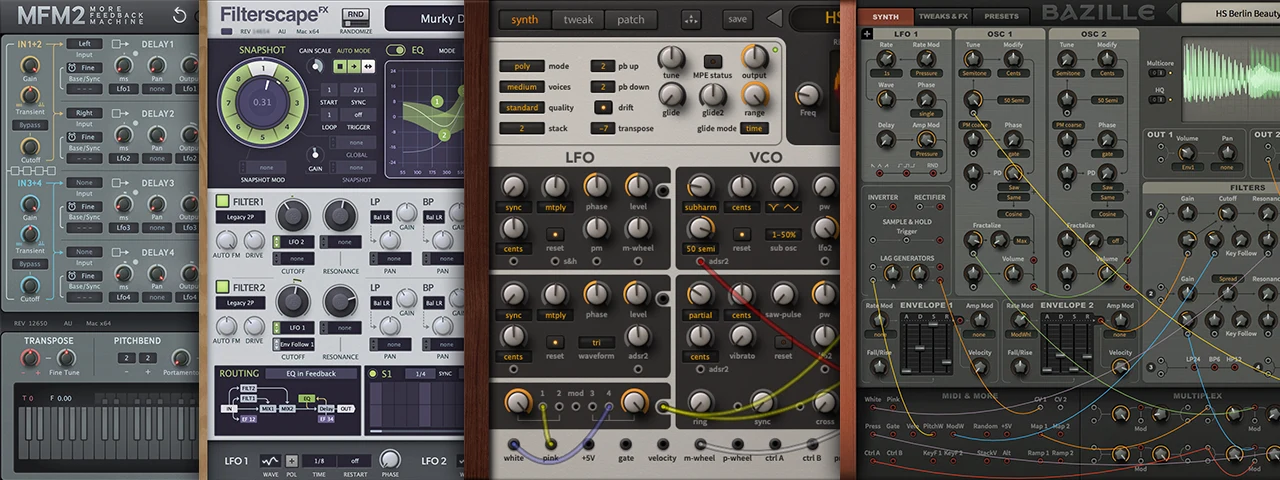
Value of individual products: 426 €
Our geekiest synths and effects, especially for the brave and the curious in search of unusual sonic powers: ACE, Bazille, Filterscape, More Feedback Machine 2.
249 €