The spirit of analogue
The spirit of analogue
Diva captures the spirit of five decades of analogue synthesizers. Oscillators, filters, and envelopes from some of the greatest monophonic and polyphonic synths of yesteryear were meticulously modelled for unmatched analogue sound. More than a single synthesizer: Recreate an old favourite or mix-and-match modules to design your unique hybrid.
- Authentic, award-winning analogue sound
- Mix-and-match panels for custom layouts
- Per-voice oscillator detune and user-definable modulation source
- Zero delay feedback (ZDF) filter design for authentic resonance behaviour
- 3 ADS(S)R envelope models based on classic synth hardware with keyboard follow and velocity scaling
- 5 oscillators models based on classic synth hardware
- 5 filter models based on classic synth hardware
- 2 host-syncable LFOs with multiple waveforms, restart options and phase controls
- 2 stereo effects slots, each with chorus (3 modes), phaser (2 modes), plate reverb, delay, rotary speaker
- Host-syncable arpeggiator with continuous rate offset, swing, various progression options
- MIDI learn page and editable list
- Resizable UI from 70% to 200%
- Over 1200 factory presets
- NEW in v1.4.5: Support for Oddsound MTS-ESP
- NEW in v1.4.8: MPE Support
Sights and sounds
- Videos
- Demo Tracks
- Screenshots
 Watch more introductory videos in our tutorials section.
Oscillators and Filters
The filters are at the heart of Diva’s analogue sound. A combination of realtime circuit simulation and zero delay feedback (ZDF) design gives Diva its remarkable sound. With ZDF, the delays normally produced when modelling analogue circuits are vastly reduced, resulting in a much more authentic resonance behaviour. (If you are interested, Urs wrote an in-depth blog post  about ZDF.)
Diva models five different filters found in classic hardware synthesizers. All filters have modulation options and the traditional cutoff and resonance controls, but each has its character, quirks and options.
Like the filters, Diva’s oscillators are also modelled on classic hardware. The five models offer a wide range of different characteristics that fundamentally affect the overall sound, giving you a broad palette to start with for your next riff, bass and pad.
All five share common controls: waveform selection, octave range, mix or independent output volume controls, a noise source and plentiful modulation options. Plus a few touches unique to each model.
With three oscillators, Triple VCO is the largest of the oscillator panels. Waveform shape selection is continuous rather than discrete: choose ramp, triangle, sawtooth, square or any position inbetween for hybrid shapes. Try out frequency modulation (FM), oscillator sync, waveform modulation for striking tones. Use feedback to route post-filter sound back into the oscillator mixer for effects ranging from mild bass boost to subharmonics / low-frequency howling.
A bit simpler than the Triple VCO, but still extremely capable. Multiple waveforms can be activated per oscillator for rich and diverse sounds. Pulse width modulation (PWM), sync and cross modulation (FM) are available. Select one of three hardware revisions for different characteristics.
DCO This is the only single oscillator model in Diva, but a few special tricks make it a worthy addition. The oscillator is multi-wave, summing four sources: pulse, sawtooth, suboscillator and noise, so the final sound can still be quite complex. Try the DCO whenever you need a crisper sound than the other analogue oscillators provide.
A simpler panel for a more CPU-friendly model—a pair of oscillators with independent tuning and multiple waveforms. While neither PWM nor FM are included, this model does offer ring modulation.
Digital? In Diva? Yes, it is true. This addition models all the grit and “flaws” of the original and broadens Diva’s palette of sounds admirably. Digital includes very different waveforms, most notably Multisaw, which is great for rich pads. More common waveforms such triangle and sawtooth can be warped and modulated for intriguing results.
Oscillators and filters get your sound humming, but a little polish and refinement make it sing.
Switching oscillators and filters on or off like an organ would be very limiting. Envelopes provide more nuanced and engaging results. Diva has two slots—one dedicated to the amplifier, the other to the filter—both with three models to choose from. Craft gently rising sounds, notes that fade slowly into the distance, or sharp percussion.
Small details can transform static, lifeless sounds into something much more lively and organic.
The Trimmers panel is where you can make your sounds feel more analogue. Control voice detuning per oscillator, adjust variance between individual voices (round robin), voice drift and more—adding life to your music. These options mirror the inherent variations in analogue hardware. As the circuit boards are not always 100% the same (due to component tolerances), oscillator tuning may differ slightly, some envelopes are a little less snappy. The individual effects may be subtle, but they add up to a more authentic analogue sound.
2019 – Favorite SoftsynthKVR
2012 – Editor’s ChoiceComputer Music
2012 – Performance AwardComputer Music
2012 – Top 10 SynthsComputer Music
Best Buy Amazona
2012 – Best Value Audiofanzine
2016 – Top Product Releasetime
Editor’s Tip Recording.de
2013 – Best Analog-Modeled InstrumentKVR
May 2012

December 2011

December 2013
2013 – Reader’s Choice KVR
August 2012
Sounds amazing Ask.Audio
March 2015
Magnificent homage SoundBytes
July 2014
Huge analog sound Splice
March 2012
Truly awesome sounds Audionewsroom
Semptember 2012
Startlingly Good Sound on Sound
Bundle options
Everything Bundle
All our plug-ins in one bundle
999 €
All Synths Bundle
All u-he synths
599 €
Analogue Bundle
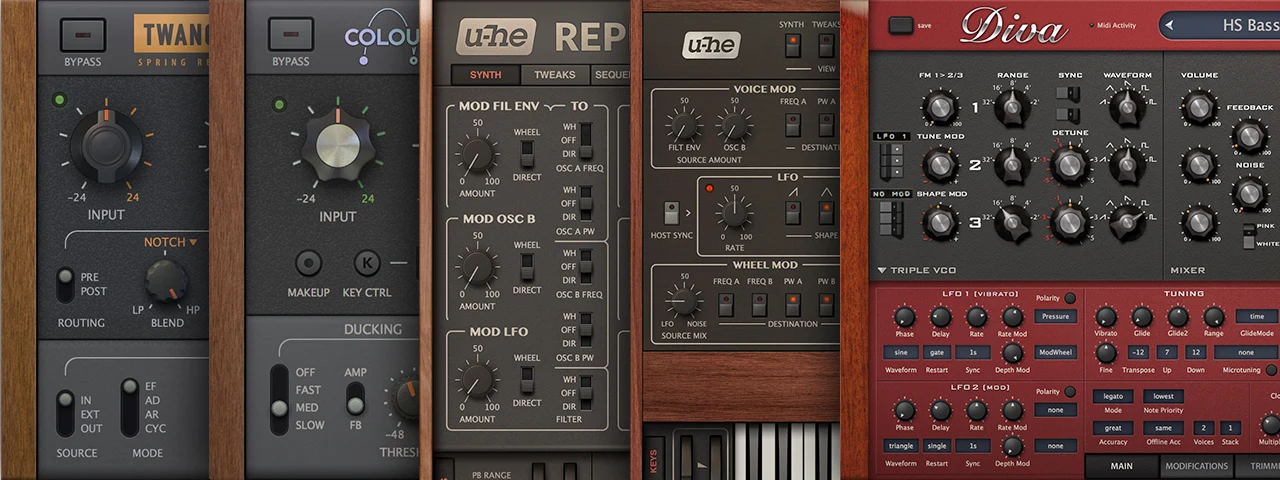
Value of individual products: 466 €
Our finest analogue synth emulations and vintage-flavoured effects belong together: Diva, Repro, Colour Copy, Twangström.
249 €
Diva supports the next generation of Native Instruments NKS technology to optimize integration with the latest NI Kontrol keyboards as well as Maschine and other Komplete Kontrol hardware. For further information go to native-instruments.com
You can download the NKS Preview Files by clicking on the button below.