Zebra2 + all the sounds
Zebra2 + all the sounds
Zebra Legacy: Zebra goes wild!
Our workhorse synthesizer Zebra2 has always been a firm favourite in sound design circles, especially in Hollywood. Many new features have been added over the years, with recent versions including native support for Apple Silicon and VST3. This latest round doesn’t add any new features, however, but actually offers a whole lot more…
Zebra2
- NEW in v2.9: All 500+ factory presets have been refurbished and improved with X/Y assignments. They are fully tagged and NKS-ready
- 4 powerful wavetable oscillators (16 waves) with integrated spectral effects
- 1, 2, 4, or 11 times unison, with detune and stereo spread
- Polyphonic (up to 16 voices), duophonic or mono and legato modes
- 4 assignable X/Y pads
- 4 FM oscillators with 8 alternative waveforms (not only sine)
- 4 regular filters with 23 different modes
- 4 cross-modulation filters (XMF)
- 12-slot modulation matrix with depth modulation from a second source
- Flexible signal routing: 4×12 main patching grid, 3×6 effects patching grid
- 4 syncable multi-stage envelope generators (MSEG) with up to 32 segments each
- 4 per-voice LFOs plus 2 global LFOs
- 21 stereo effects: 2× chorus/flanger, 2× delay, 2× EQ, 2× compressor, 2× reverb and more
- Resizable UI from 50% to 200%
- MIDI learn page and editable list
- NEW in v2.9.3: Support for Oddsound MTS-ESP
Included Soundsets
- Includes all our commercial Zebra2 soundsets for free
- Includes “Zebra Oldies”, a selection of 400 presets from the original factory set
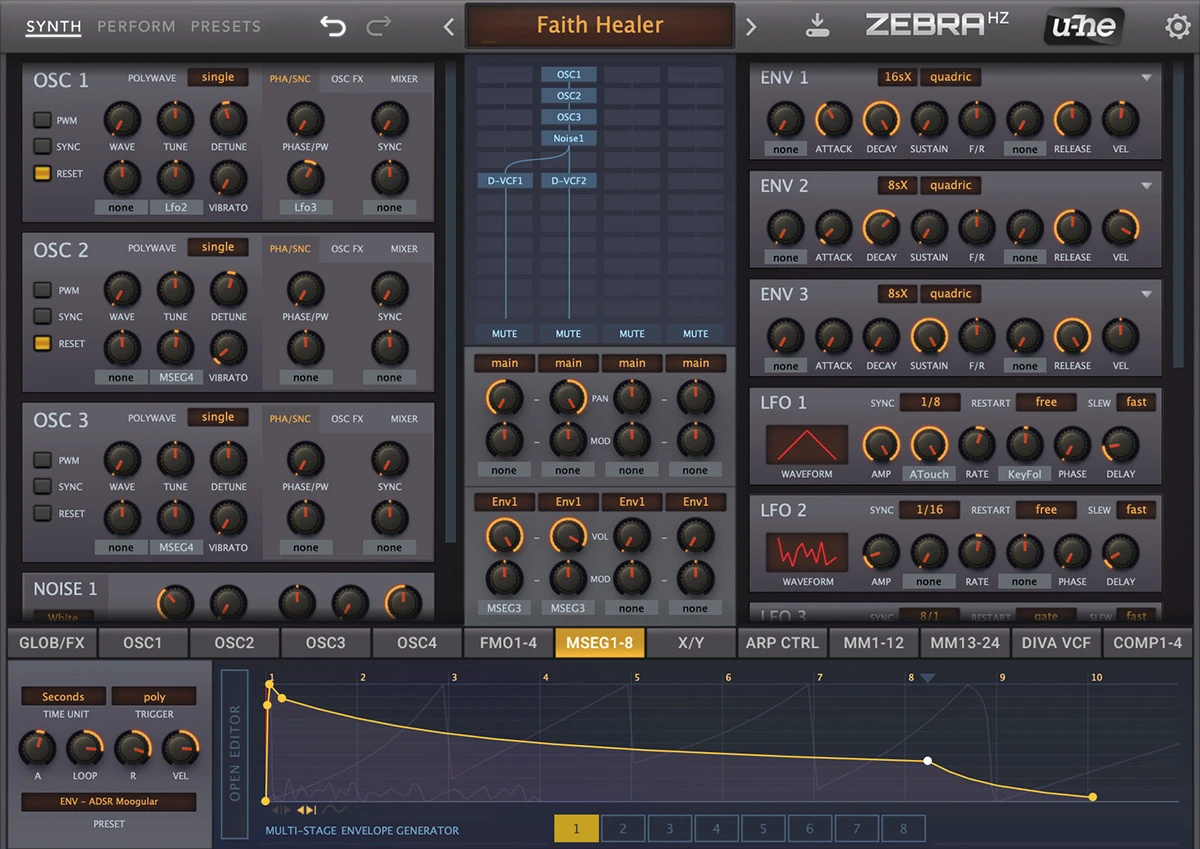
- Includes Hans Zimmer’s expanded version, ZebraHZ/The Dark Zebra
- ZebraHZ Feature Highlights:
- 8 extra filters based on Diva models
- 4 comb filter modules instead of 2
- 8 MSEGs instead of 4
- 24 modulation matrix slots instead of 12
- X/Y pads also appear as regular modulation sources
- 4 polyphonic compressors, one for each lane of the main grid
- 3 resonators with additional full-range band
Sights and sounds
Demo Tracks
Screenshots
Uhbik-A for reverb effects.’; $PLAYER_URL = ‘https://media.u-he.com/zebra2/MikeLeghorn_I_am_Zebra.mp3'; ?>
Sonic Element . All synth sounds are Zebra. Additional drums and processing.’; $PLAYER_URL = ‘https://media.u-he.com/zebra2/Sonic%20Element%20-%20The%20Concept%20of%20Eternity.mp3'; ?>NedFX .'; $PLAYER_URL = 'https://media.u-he.com/zebra2/NedFX_ZebraPlanet.mp3'; ?>Arthur Hendriks . It shows Zebra in context with orchestral and drum libraries.'; $PLAYER_URL = 'https://media.u-he.com/zebra2/DEMO_Zebra_Flashlight.mp3'; ?>Stephan Baer . All Zebra and a vocal track. Patches from Matt Bowdler’s *Continuum* set.'; $PLAYER_URL = 'https://media.u-he.com/zebra2/stephan_baer-abandoned.mp3'; ?>Sonic Element . All sounds from Zebra except some drum samples.'; $PLAYER_URL = 'https://media.u-he.com/zebra2/Zebra_SonicElement_EndlessHours.mp3'; ?>Zebra is our wireless modular synthesizer. It combines many different types of synthesis with a powerful modulation engine. Imagine —you can create any additive, freehand or spline-based waveform you like, apply a vast selection of spectral effects, morph between those waves and send them through classic synth filters. Perhaps use that entire sound as modulator for an FM oscillator, or route it through a comb filter —the building block of physical modeling synthesis. All generator modules, all signal paths, all effects are stereo.Why do we love Zebra?Although the possibilities are practically infinite, you will never be overwhelmed by needless complexity —Zebra’s adaptive interface only shows the modules you are actually using. It is a fascinating playground for sound designers. That is what Zebra is all about, that is why it has become so popular. That is why thousands of free presets are available online.
. All synth sounds are Zebra. Additional drums and processing.’; $PLAYER_URL = ‘https://media.u-he.com/zebra2/Sonic%20Element%20-%20The%20Concept%20of%20Eternity.mp3'; ?>NedFX .'; $PLAYER_URL = 'https://media.u-he.com/zebra2/NedFX_ZebraPlanet.mp3'; ?>Arthur Hendriks . It shows Zebra in context with orchestral and drum libraries.'; $PLAYER_URL = 'https://media.u-he.com/zebra2/DEMO_Zebra_Flashlight.mp3'; ?>Stephan Baer . All Zebra and a vocal track. Patches from Matt Bowdler’s *Continuum* set.'; $PLAYER_URL = 'https://media.u-he.com/zebra2/stephan_baer-abandoned.mp3'; ?>Sonic Element . All sounds from Zebra except some drum samples.'; $PLAYER_URL = 'https://media.u-he.com/zebra2/Zebra_SonicElement_EndlessHours.mp3'; ?>Zebra is our wireless modular synthesizer. It combines many different types of synthesis with a powerful modulation engine. Imagine —you can create any additive, freehand or spline-based waveform you like, apply a vast selection of spectral effects, morph between those waves and send them through classic synth filters. Perhaps use that entire sound as modulator for an FM oscillator, or route it through a comb filter —the building block of physical modeling synthesis. All generator modules, all signal paths, all effects are stereo.Why do we love Zebra?Although the possibilities are practically infinite, you will never be overwhelmed by needless complexity —Zebra’s adaptive interface only shows the modules you are actually using. It is a fascinating playground for sound designers. That is what Zebra is all about, that is why it has become so popular. That is why thousands of free presets are available online.Zebra perks:
- the unique patching system is a bliss to work with, complexity never gets in your way
- it is renowned for crystal-clear quality … which can turn dark & dirty if you want
- no static samples here—pure synthesis delivers more expressive & natural sounds
- heavily featured in blockbusters The Dark Knight, Inception, Transformers, Tron:Legacy …
- the editor window is resizable, and there are some nice alternative skins available
- it has an independent charm, with a vibrant community of helpful users in the KVR forum
- the clever design and adaptive UI keep everything you need on a single page
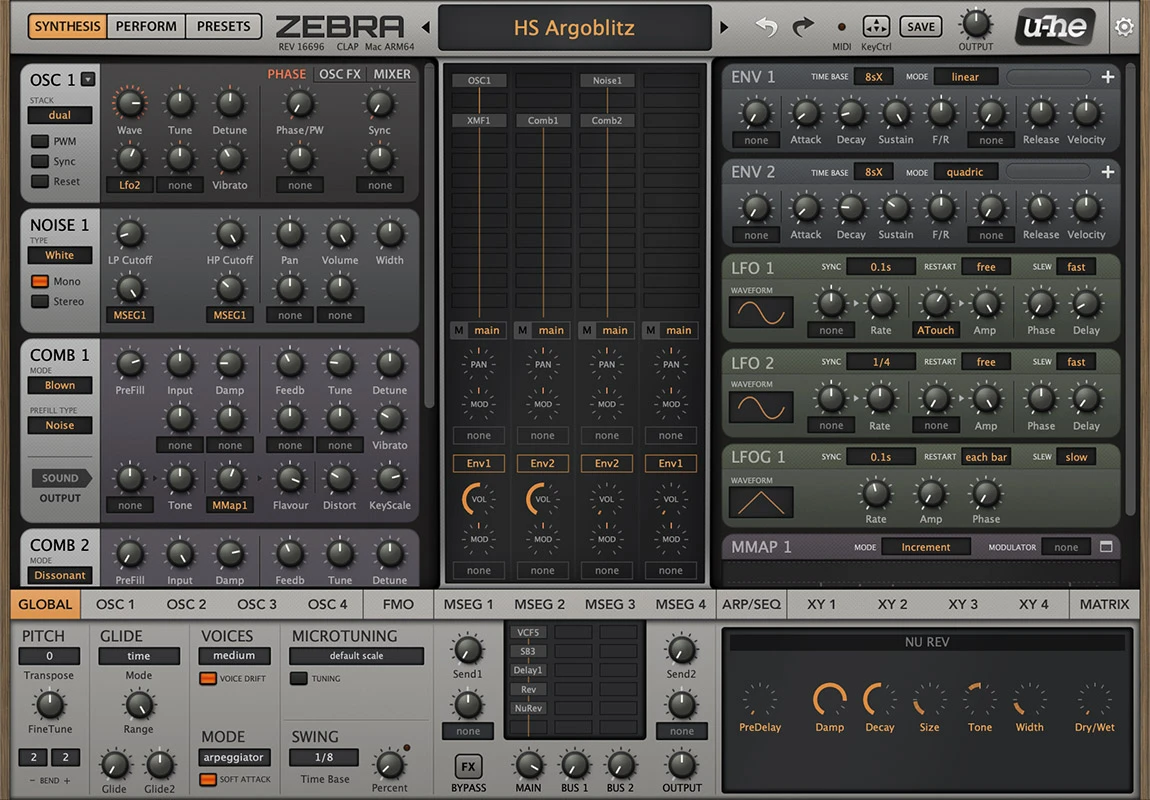
Features --------Mix and Match -------------Modules -------Zebra2 is a wireless modular synthesizer designed for flexibility, ergonomy and low CPU hit. Its Modules only appear while they are in use: Add an oscillator to the patching grid and it will appear on the left, use an LFO for anything and it will appear on the right.
After a little practice you will find programming Zebra2 very comfortable and lightning fast. Which in the end translates to … more fun!
Zebra’s modules are divided into Generators and Modulators, and include freely assignable controls that directly modulate important parameters.
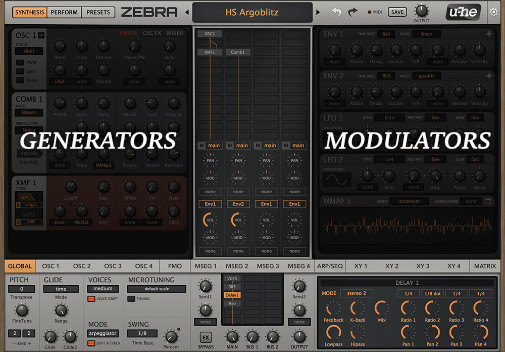 Generators and Modulators in Zebra2’s UI- Generators - Modulators- OSC - FMO - Noise - VCF - XMF - Comb - Sideband - Shape - Distortion - Fold - Mix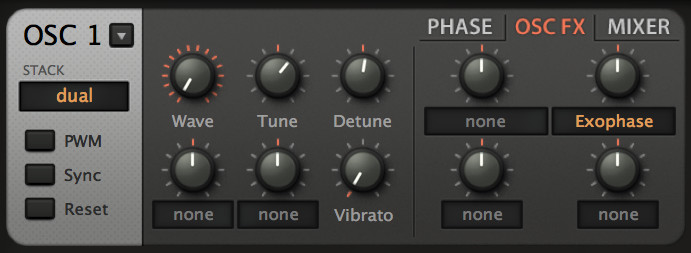OSC Module**Oscillator**To state that the Zebra2 oscillators are ‘highly flexible’ would be a huge understatement. They are so powerful that the Zebra2 package includes an extra instrument called Zebralette, which consists of just one oscillator transplanted into a much simpler synth framework.
The OSC module includes such features as stacking (dual, quad or eleven) oscillators, pulse width modulation, hard sync, phase controls, and a powerful OSC FX section with a choice of 2x24 different spectral effects.
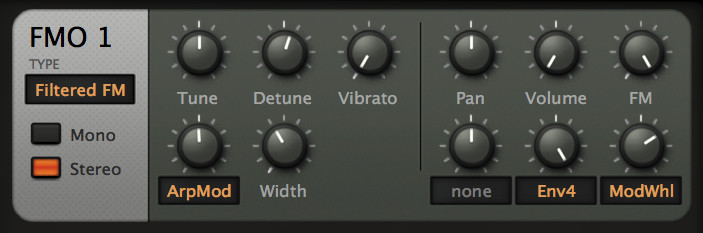FMO Module**Frequency Modulation Oscillator**Apart from the main OSC module, Zebra2 also includes a FMO type for FM synthesis.
The Frequency Modulation Oscillator module is closely related to the famous Yamaha DX7. It includes most of the features of the OSC module, plus different input modes to digitally shape the sound, and a ring modulation option.
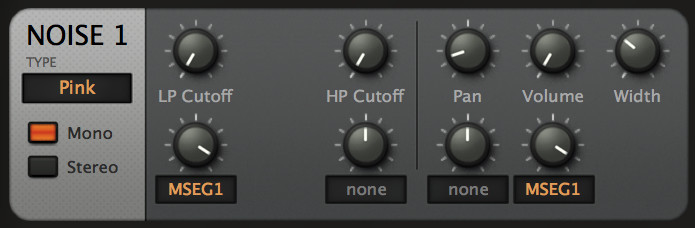Noise Module**Noise**Noise has traditionally been used for percussive sounds, wind effects, explosions, and similar …
The Noise module features four different flavours: White, Pink, Digital, and Crackles - which produces sounds simlar to a Geiger counter or worn-out vinyl. The module also features both LP and HP filters, and a Width control.
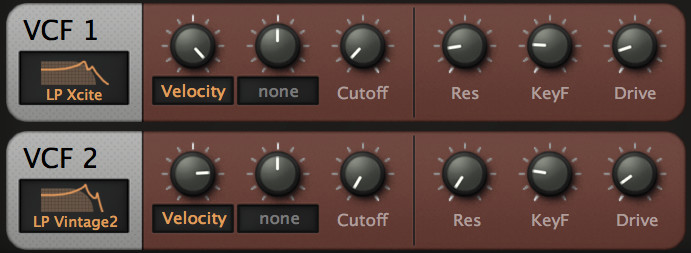2 VCF Modules**Voltage Controlled Filter**The VCF modules are Zebra’s CPU-friendly filters. Although there are no high voltages in this synthesizer, most of Zebra’s VCF types are still almost as alive as their analogue forebears.
The Voltage Controlled Filter features 23 filter types starting from lowpass, bandpass and highpass filters, to parametric EQ models, sample-rate reduction, or even 2 different phasing modules.
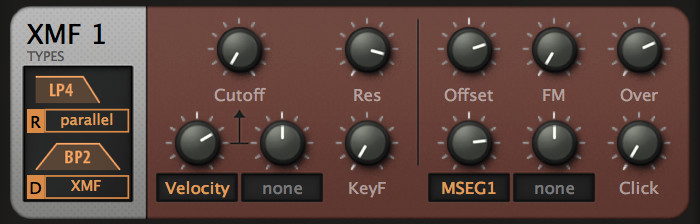XMF Module**Cross-Modulation Filter**The Cross-Modulation Filter module is an extremely flexible multimode filter featuring self-oscillation, input-dependent distortion and audio-rate FM via the extra input.
It features 15 filter types, and altough the module is more CPU-intensive than the VCF one, it’s more flexible - it allows the combination of two filter types in stereo with differential cutoff. It also includes controls such as Over, and Click, both useful to push the filter to its limits.
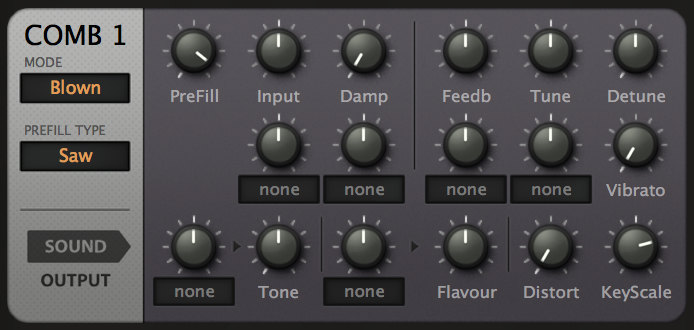Comb Module**Comb Filter**Comb filters are based on ultra-short delay lines with a feedback pathway. Even if the input is a very short impulse, the feedback loop can turn this into a slowly decaying tone. The frequency response curve resembles a regular row of spikes, hence the name.
The Comb module features 8 different modes, an internal impulse generator with 3 different waveforms to choose from, Detune, Vibrato, Distort controls, and more … Ideal for the creation of envelope-driven polyphonic flangers, realistic plucked and bowed strings, flutes, mallet, and other percussion instruments.
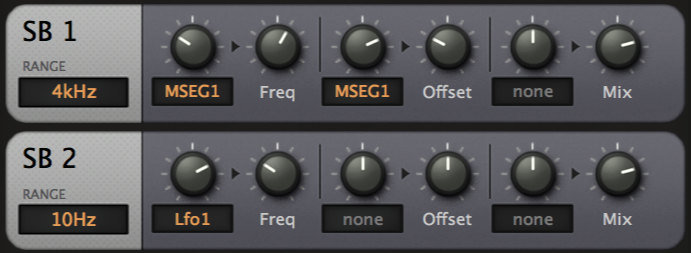2 SB Modules**Sideband**The Sideband module is a stereo frequency shifter, the origins of which go back to the early days of radio. Related to ring modulation in which two signals are multiplied, resulting in two sidebands.
It features 3 different range options to pick from: 10Hz, 200Hz or 4kHz.
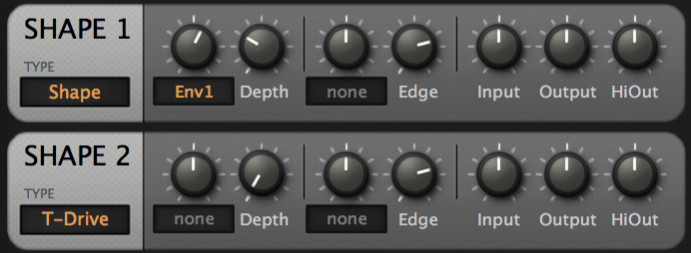2 Shape Modules**Shape**An input level dependent distortion unit with a choice of different algorithms.
There are two Shaper modules available in Zebra2, featuring 4 different types of distortion: Shape (for the classic waveshaper effect), T-Drive (frequency dependent waveshaping), Crush (a bit-reducer), and Wedge - a waveshaper with foldback function.
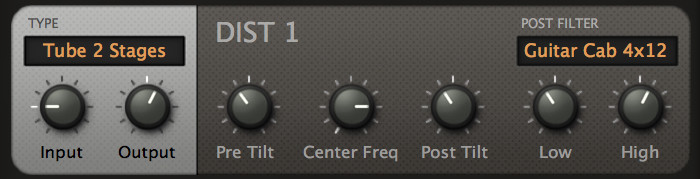Dist Module**Distortion**The Distortion module creates traditional analogue-type saturation.
There are 6 different types of distortion to choose from: from tube distortion, to clipping, rectification, or foldback. It also features 2 different post filter modes. If used in the Zebra2 FX Grid, it can mimic a complete guitar amplifier and speaker cabinet.
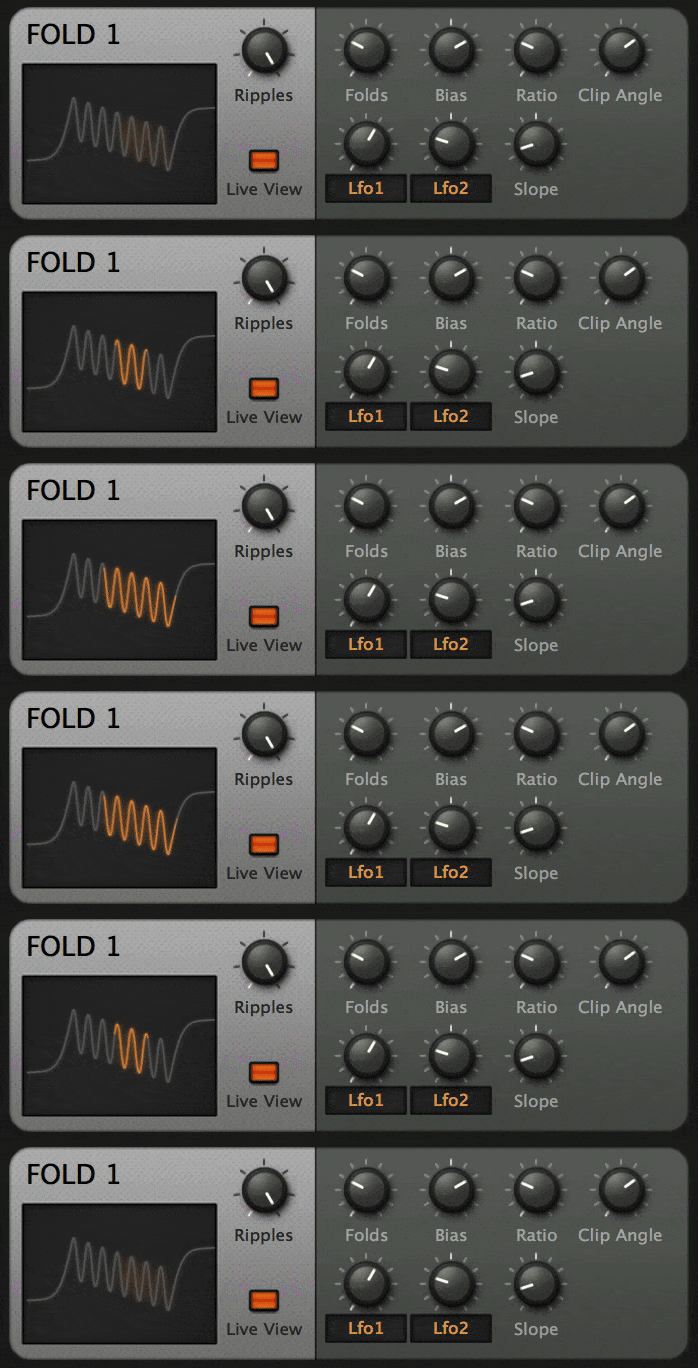Fold Module**Fold**A Wavefolder is a special kind of waveshaper which maps the input signal onto a sine, folding it back on itself multiple times. Like hardware wavefolders, Zebra2’s Fold sounds best when applied to signals with very little high frequency content.
The Ripples control represents the number of cycles. Folds is the perecentage of Ripples used, and Bias shifts the used section to the left or right. The Live View button enables realtime animation of any modulation.
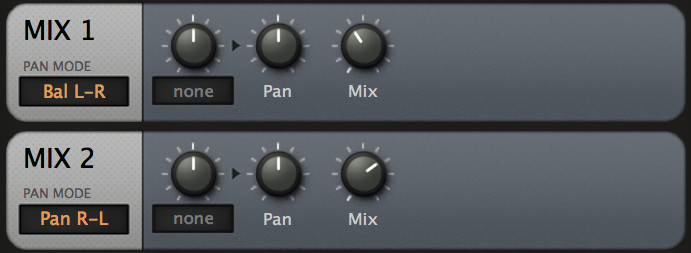2 Mix Modules**Mix**The Mix module can mix two signals. It can be used for cross-fading, or for reducing stereo width.
It features 5 pan modes and a modulation control.
- ENV - LFO - LFOG - MMAP - MMIX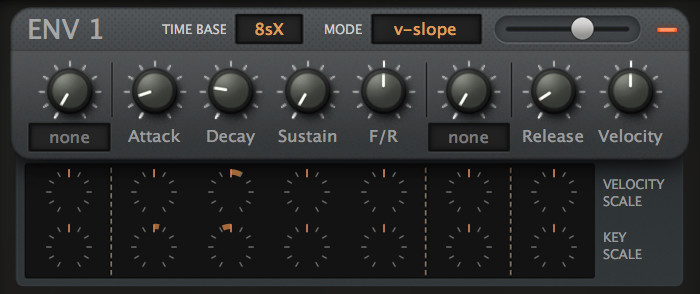ENV Module**Envelope**Although it looks like a regular ADSR with just a few extras, the Envelope module also has a few tricks up its sleeve: It is syncable, loopable, and offers 2-stage attack and release…
It features 6 time bases and 3 curve modes, plus fall and rise time, and also velocity and key scale controls.
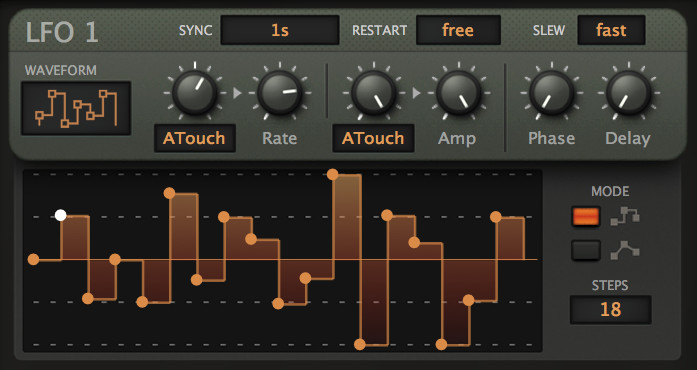LFO Module**Low Frequency Oscillator**Alongside envelopes, Low Frequency Oscillators represent THE classic modulators – for vibrato or any cyclic movement.
Zebra2 includes LFO and LFOG modules. This one is instantiated per voice, which means every note played gets its own LFO. There are 8 different waveforms to choose from, or a custom waveform (User mode). All classic LFO controls are there, such as Sync or Restart. It also includes a Slew option for instantaneous or smooth transitions.
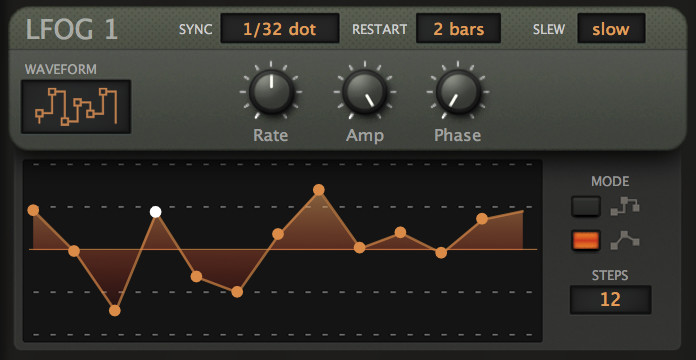LFOG Module**Global Low Frequency Oscillator**The Global Low Frequency Oscillator is simpler than the normal LFO, as the assignable knobs and the delay are missing. However, the main difference is that this one does not retrigger per voice.
All other features are the same, including the choice of waveforms.
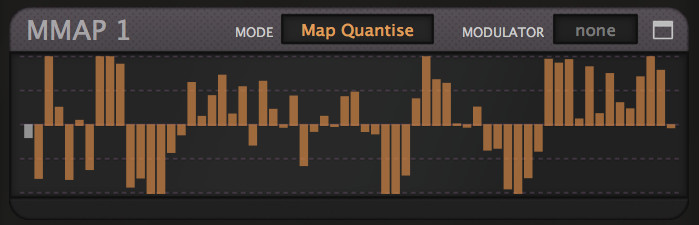MMAP Module**Modulation Mapper**Zebra’s Modulation Mapper is a general purpose table of 128 individual values.
With its 4 different modes and extensive selection / drawing tools, the MMAP module can be used for countless different tasks.
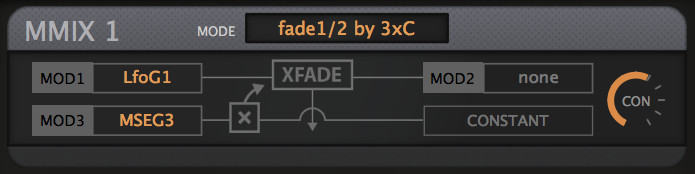MIX Module**Modulation Mixer**Zebra’s Modulation Mixer processes up to 3 modulation sources in different ways.
You can sum modulations, scale the sum by a constant, or use one of the inputs to crossfade between the other two.
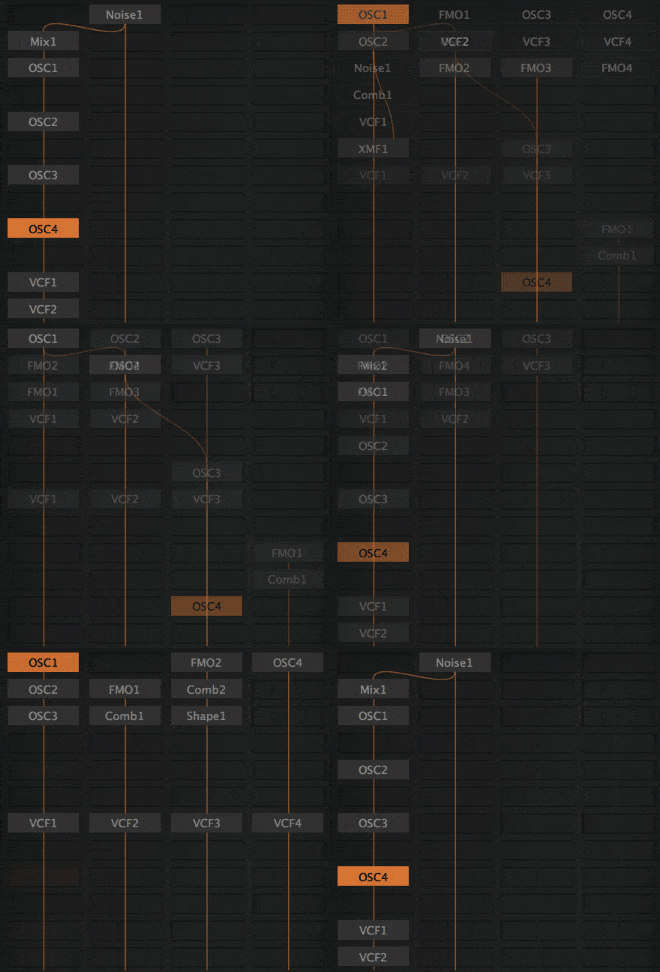Zebra2’s Grid**The Grid**The center of the synthesis window is a Grid consisting of four vertical lanes. This area is used for connecting generators together, whereby the signal flow is top to bottom. Any module can route signals between lanes.
Add modules, drag them around, and change the routing – it’s a playground!
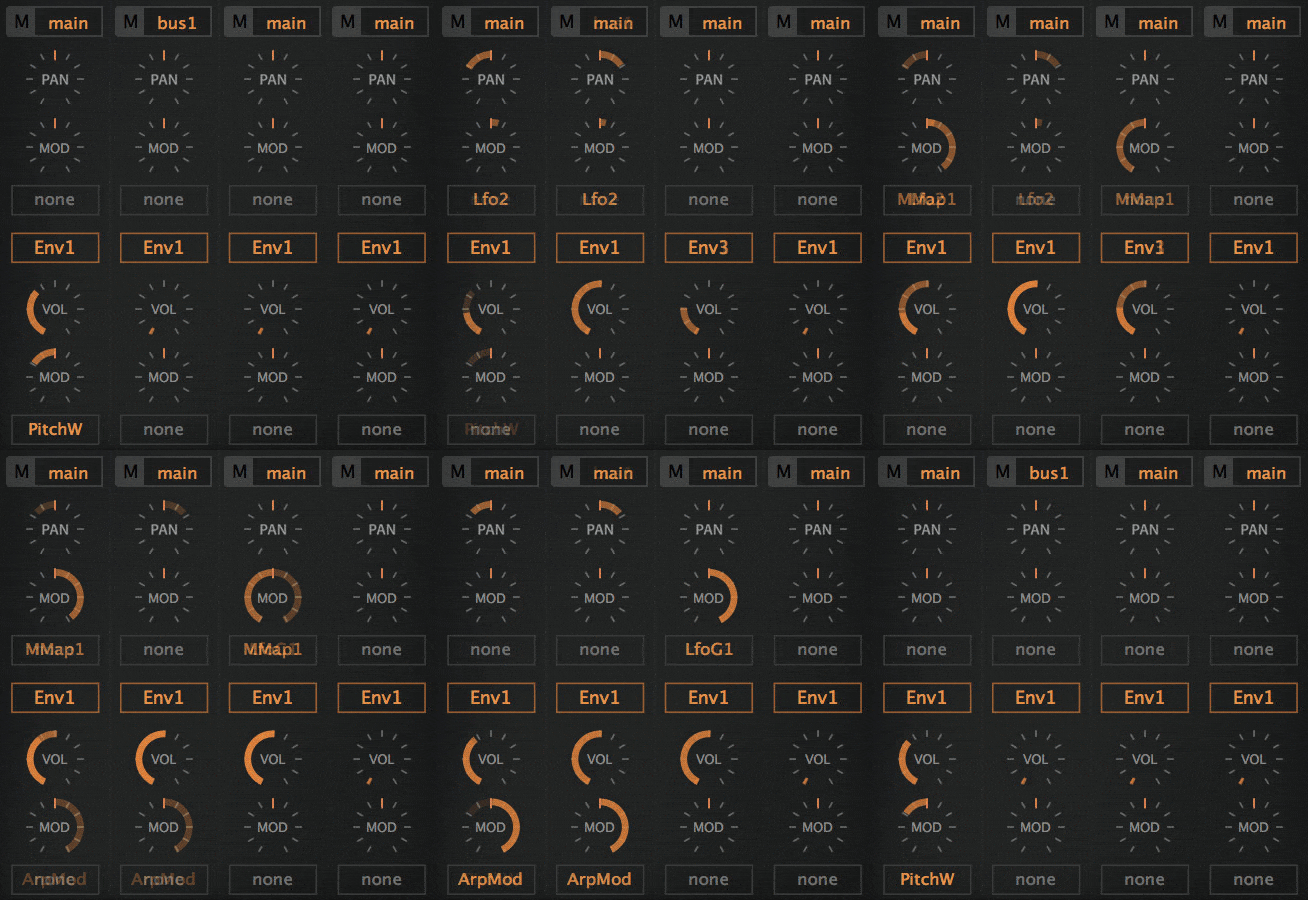
**The Mixer**Below the main grid is a 4-channel Mixer. This is where you adjust pans and volumes, select envelopes, and the routing to the FX grid for each lane.
There are 3 different routing options for the FX bus. You can also select which envelope to use for each specific lane, and specify modulation for the pan and volume parameters.
Zebra2’s MixerLower Pane ----------The Lower Pane is where you will find Zebra2’s global settings and many other features: effects, in-depth controls for oscillators, MSEGs, performance control settings, arpeggiator / sequencer, and the modulation matrix.
Zebra2’s Lower Pane (Global and FX settings)The global settings include controls for the main synthesizer’s pitch, glide, and voices. A Swing generator and microtuning options are also available.
Next to the global settings is the Effects section. Zebra2 includes Chorus / Phaser, a flexible multi-mode Delay, two different Reverb units, Compressor, and Equalizer. It’s also possible to use certain generators as effects, such as Shape, VCF, Dist …
Zebra lets you modulate practically all effect parameters (e.g. reverb size or delay feedback).
In-Depth Editors ----------------**Wave Editor**The Wave Editor is where you create your own oscillator waveforms.
**MSEG Editor**The Multi Stage Envelope Generator is a complex modulation source offering total shape control as well as continuous rate control.
**MMAP Editor**This is the expanded editor for the MMAP modulator.
Arpeggiate and Sequence -----------------------Zebra2 features a fully-fledged arpeggiator and sequencer. Up to 16 steps, with various loop and order options. It also includes two extra values per step, which can be used to modulate any parameter in step with the arpeggiator.
Zebra2’s ArpeggiatorModulation Matrix -----------------All generators in Zebra2 include assignable knobs, but the plug-in also features a Modulation Matrix. This is where you set up any kind of (control rate) modulation. There are 12 modulation slots, allowing many possibilities.
Zebra2’s Modulation MatrixPerformance -----------Up for a live performance? Zebra’s Perform panel includes four X/Y pads which can control up to 16 parameters each, all at the same time.
Alternative skin ----------------With the release of update 2.8, Zebra2 got a new user interface. Apart from the new standard DotEight skin, the plug-in includes an alternative, darker one called DarkEight.
December 20122012 – Top 10 SynthsComputer Music
December 20062006 – Editor’s ChoiceComputer Music
December 20062006 – Performance AwardComputer Music
December 2007Sehr Gut Amazona
December 20132013 – Best InstrumentKVR
December 20072007 – Keybuy AwardKeyboard Mag
December 20082008 – Editor’s ChoiceElectronic Musician
December 20072007 – Editor’s ChoiceHitsquad
October 20072007 – Editor’s ChoiceBeat
October 20112011 – Best SoftsynthMIPA
“Zebra 2 is a joy to behold. If you’re into soft synths, you owe it to yourself to check it out.”November 2007
“Zebra2 sounds like no other; it has a fullness, a richness in detail no other instrument possesses. …”December 2015
Honorable Mention - Best Synth Plug-in: “The Plug-In That Changed My Life”December 2013
2013 – Reader’s Choice KVR
“ …the possibilities for sound design are nearly endless.”May 2014
Superb sound SoundBytes
“It’s obvious that a ton of work has been put into designing this synthesizer …”July 2014
Sounds awesome Ask.Audio


Bundle options
Everything Bundle
All our plug-ins in one bundle
999 €
All Synths Bundle
All u-he synths
599 €